Introduction
The departments function is used to separate your support tickets into respective sectors of your company.
How It Works
To access department settings, go to the Chat tab in the side menu: Chat - Reportana.
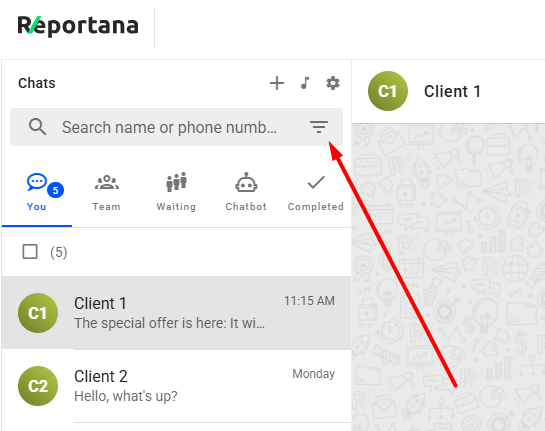
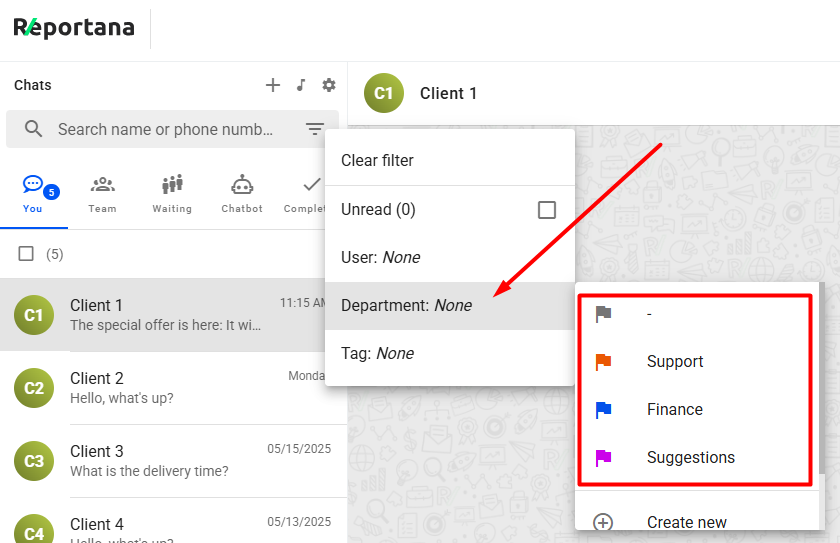
In the chat, click the filter icon ➞ Department to use departments.
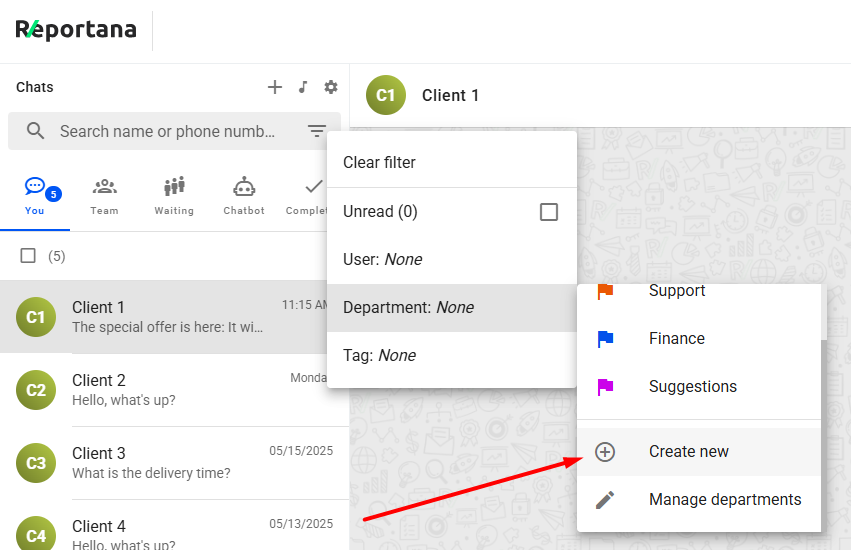
To create a new department, click Create new.
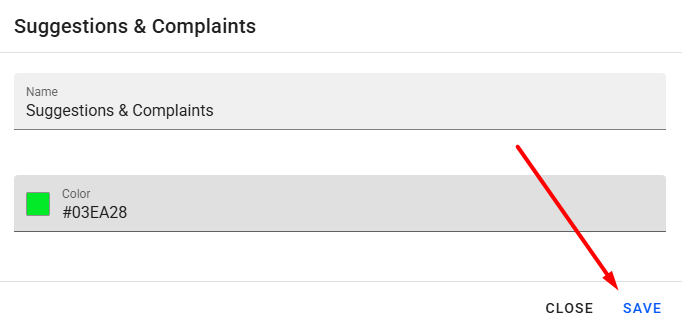
Add an identification name, choose a color for the department, and click SAVE.
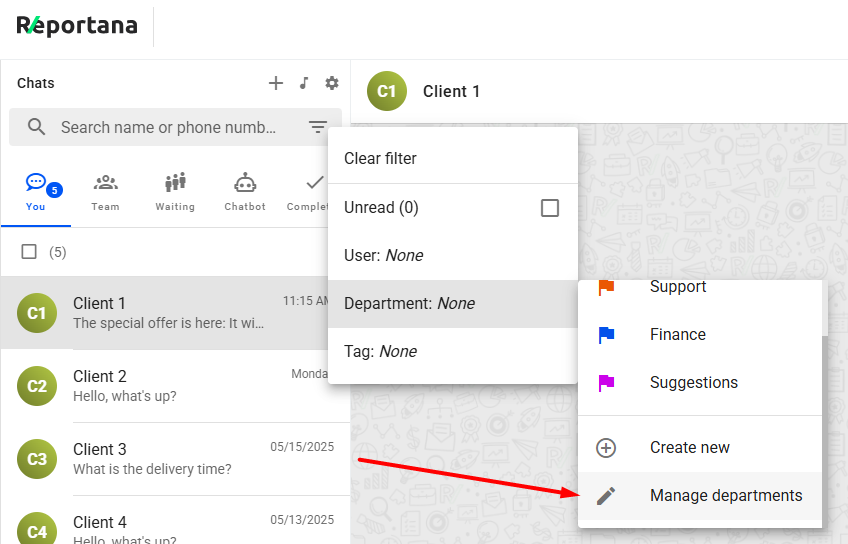
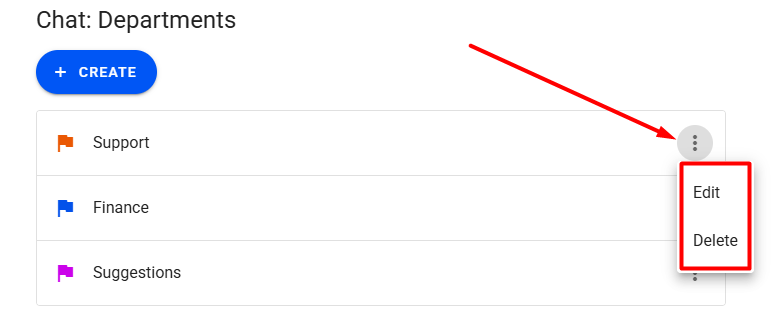
You can also manage existing departments by clicking Manage departments.
Edit or delete departments as needed.
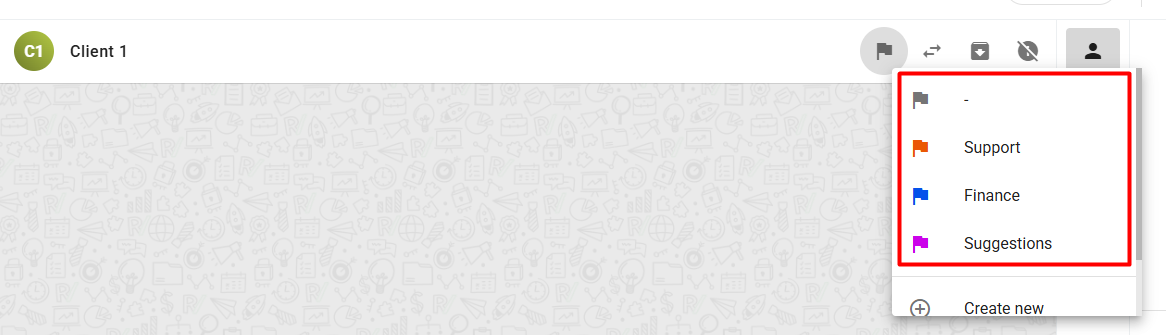
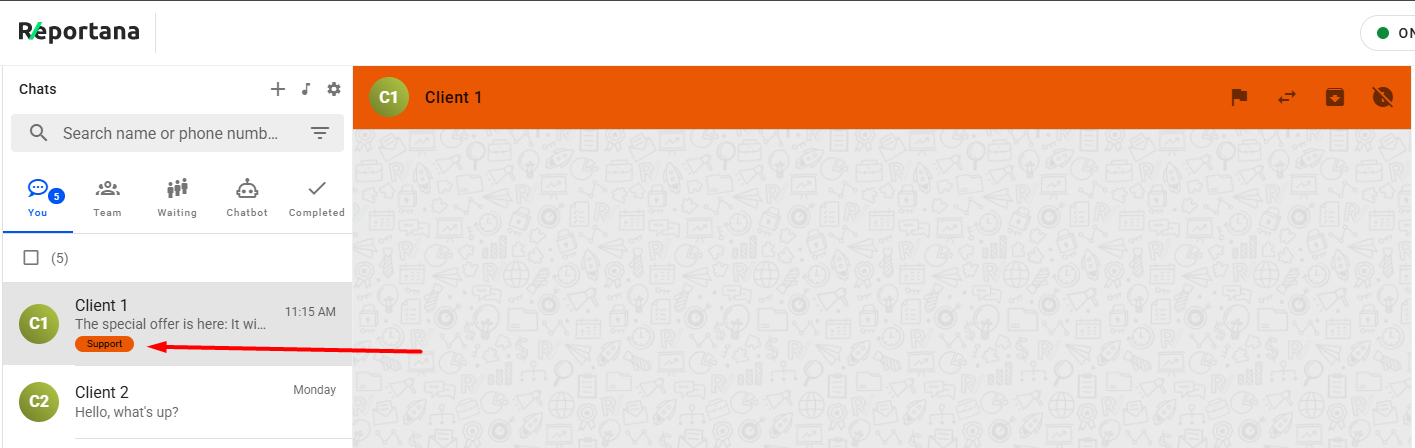
Departments can be manually assigned to conversations in the chat.
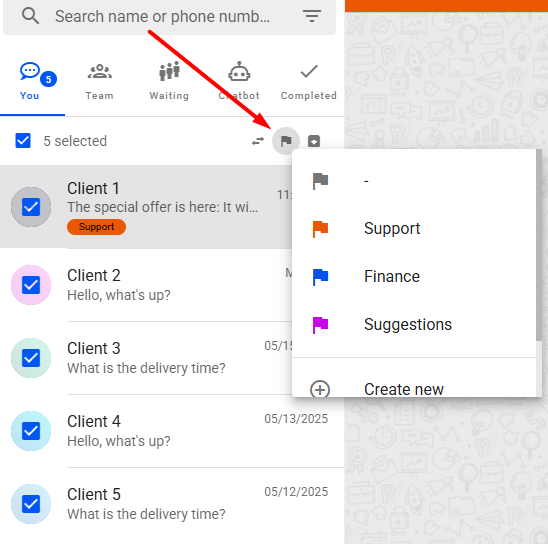
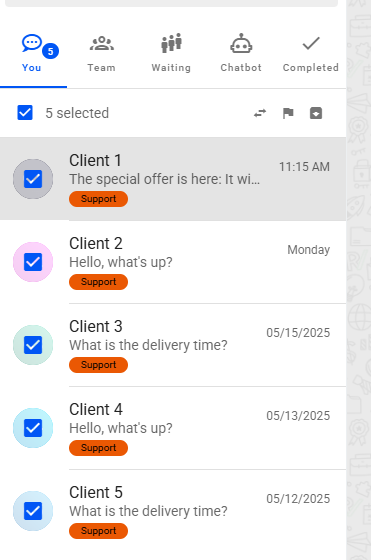
It is also possible to assign a department to multiple conversations at once by selecting the desired chats and choosing a department.
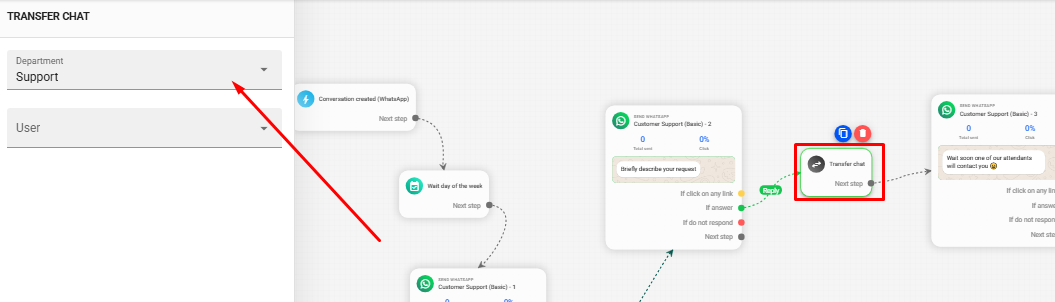
Additionally, departments can be automatically assigned using automations with the "Transfer Chat" feature:
Navigate to the desired automation in our workflow editor: Reportana - Automations..
Add a new Transfer Chat block or click an existing one, then go to ➞ Department to select the target department.
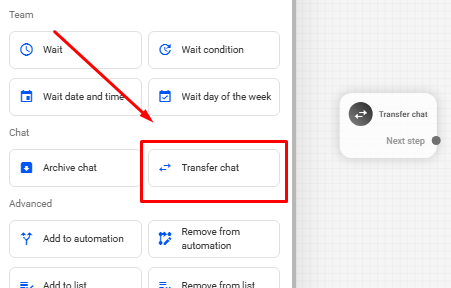
When a conversation reaches the transfer block, the designated department will automatically be assigned, eliminating the need for manual assignment.