
Introduction
On the platform, you can view invoices for all purchases made during your account usage. This tutorial explains how to check invoices, verify payment dates, and understand when invoices become available.
How It Works
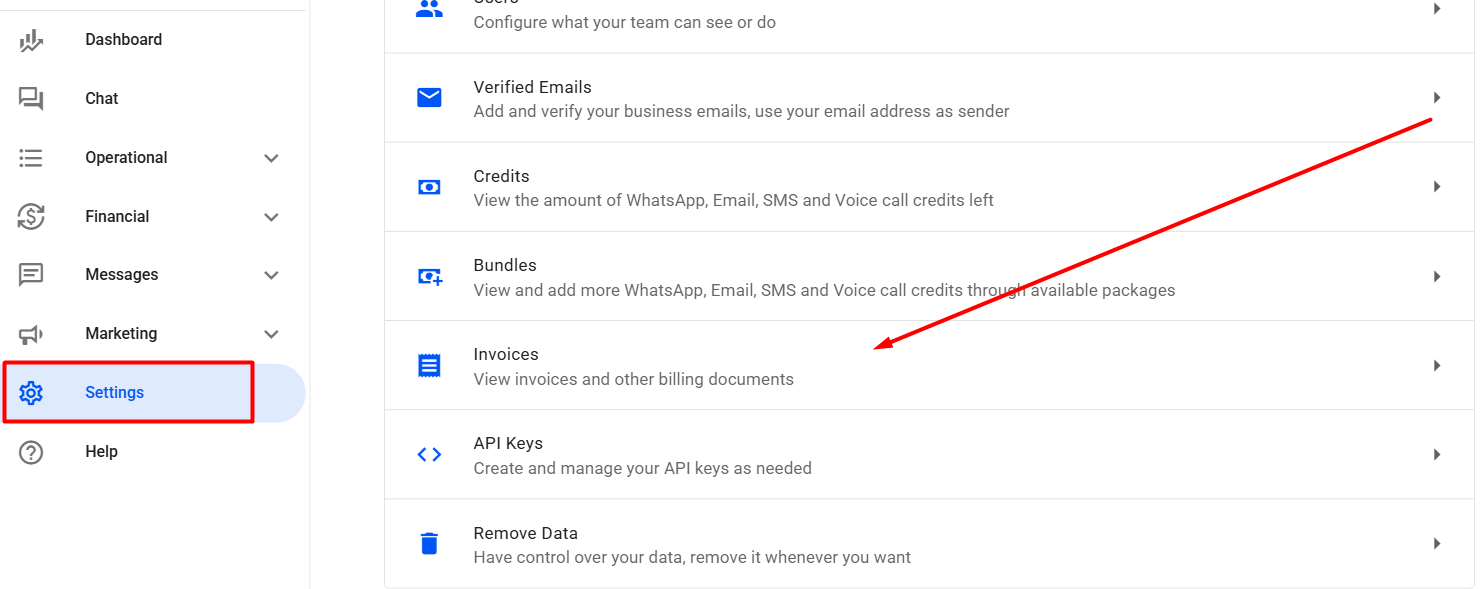
In your Reportana account, navigate to Settings in the side menu → Invoices. Or access: Settings — Invoices.
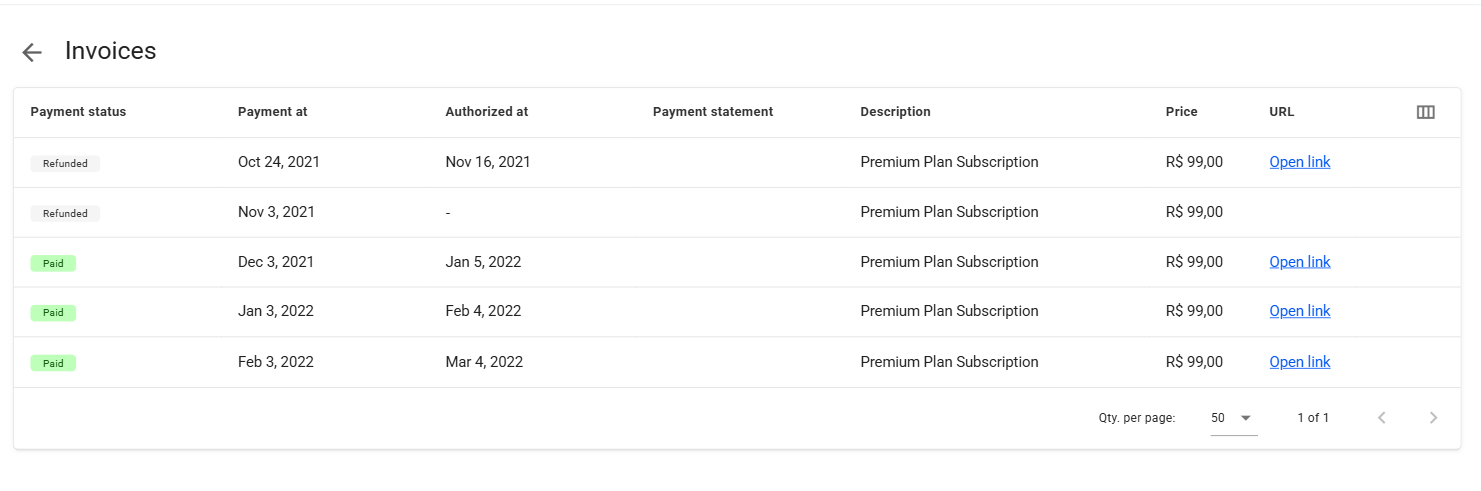
In this tab, you can review the following invoice details:
- Payment Status: Indicates the current status of the payment for the purchase.
- Payment at: Specifies the date the payment was processed. For active subscriptions, this also represents the next charge date.
- Authorized at: Shows the date the payment was authorized.
- Payment Statement: Displays the payment reference code, as recorded in your payment method’s statement.
- Description: Details the purchase description.
- Price: Shows the paid amount for the purchase.
- URL: Provides the link to access the invoice document.
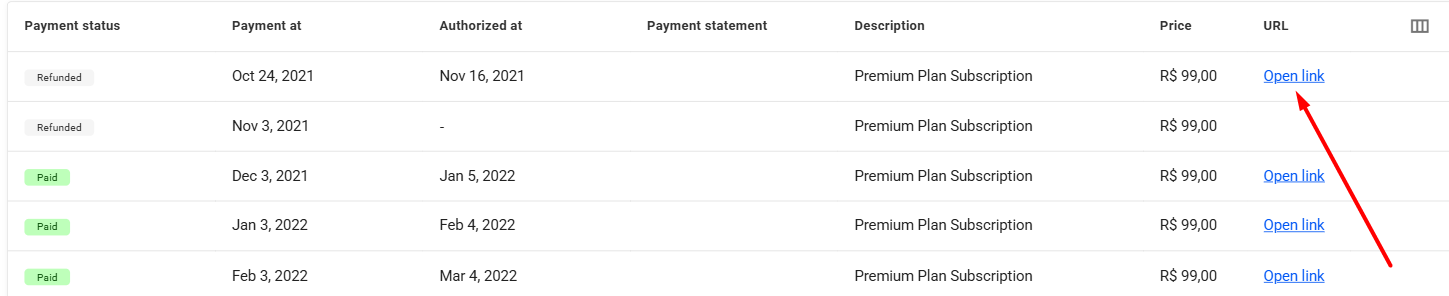
- To download invoices already available in your account, click “Open link”. The invoice will open in a new browser tab. To save it, click the download icon.
Important: Note that invoices are available until the 4th day of each month, always referring to previous months. For example, if a payment was made on January 5th, the invoice will be issued on February 4th, with a tax reference date of January 5th. This is standard practice for monthly subscription invoices.
October 01, 2024
How to Access Invoices
Related articles
How to Set Up Team Accounts
"Users" are used to allow you to add collaborators to your Reportana account. In this article, we'll show you how to send the invitation link to your employee and how how to add them to your account.

How to Change Your Subscription Plan
At Reportana, it is possible to adjust the subscription plan, guaranteeing access to the functionalities best suited to the growth of the business. In this lesson, you'll learn the step-by-step process of changing your account's subscription plan.
How to Connect WhatsApp
By connecting your company's WhatsApp to our platform, you can use our messaging chat to handle customer support, send automations, and run WhatsApp campaigns. Learn how to connect and synchronize in this tutorial.