
Introduction
You can cancel your Reportana subscription at any time. The process is simple and straightforward, and we guarantee you will retain access until the end of the already paid period.
If there were any difficulties or doubts that led you to want to cancel. Before canceling, you may want to contact our official support channel on WhatsApp. We're here to help resolve any problems quickly and efficiently.
How it works
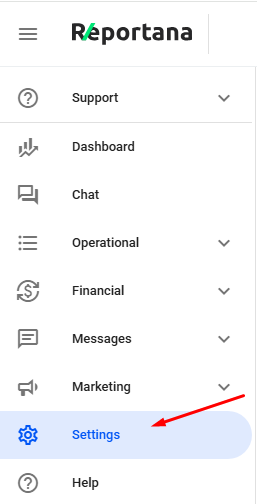
First, go to Settings in the side menu of your account. Or access: Settings
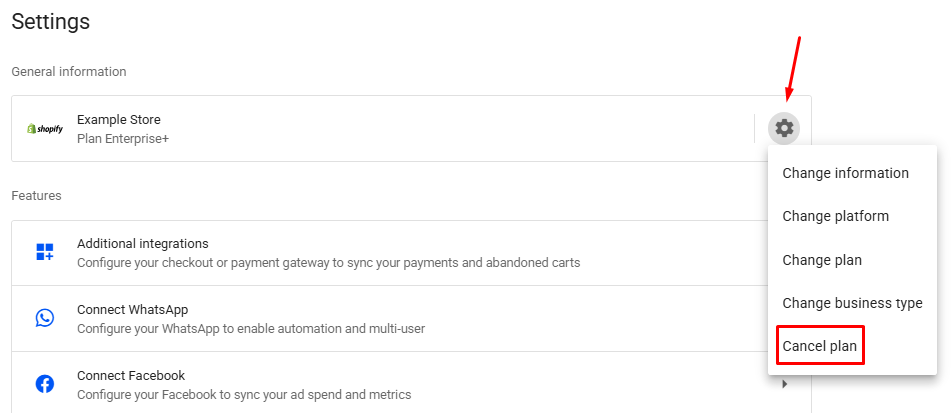
Then click the Gear icon ➞ Cancel plan.
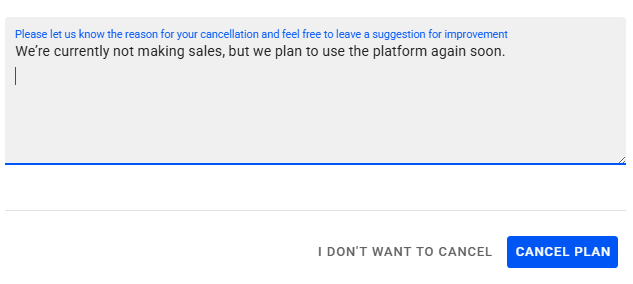
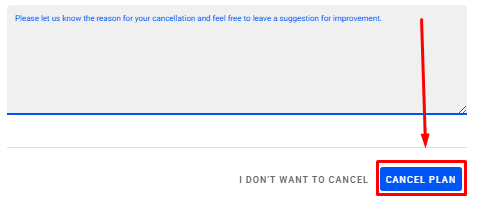
You will need to fill out the cancellation form and, at the end of the request, provide the reason for canceling the subscription in the text box.
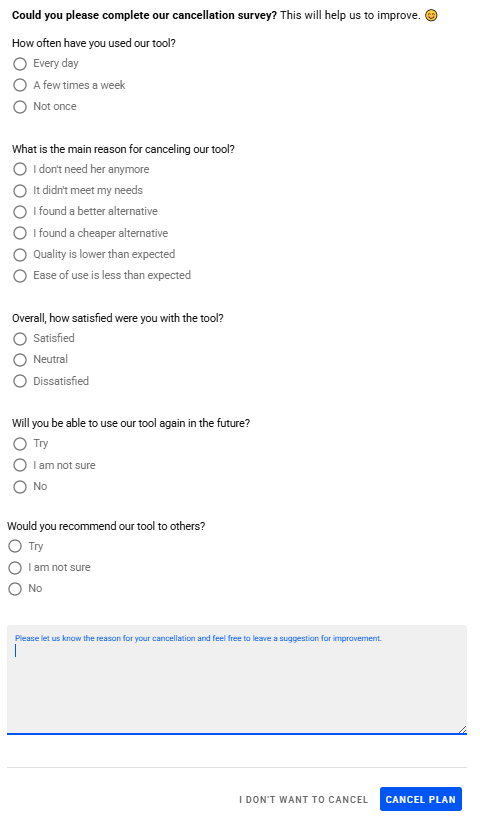
To confirm the request, just press the cancel plan button for FIVE SECONDS, until the page is reloaded.
All cancellation requests and responses provided through the cancellation form will be carefully reviewed by our team. This allows us to better understand our customers' needs and implement future improvements to the platform, with the goal of continuously enhancing the experience we offer.
Note: It's also important to note that the right to a refund of the subscription fee is only valid if you cancel the plan within 7 days of the initial payment, as outlined in our terms of use. To request a refund, please send an email to [email protected], including the reason for cancellation along with proof of payment for the subscription.
October 01, 2024
How to Cancel Subscription
Related articles
How to Set Up Team Accounts
"Users" are used to allow you to add collaborators to your Reportana account. In this article, we'll show you how to send the invitation link to your employee and how how to add them to your account.

How to Change Your Subscription Plan
At Reportana, it is possible to adjust the subscription plan, guaranteeing access to the functionalities best suited to the growth of the business. In this lesson, you'll learn the step-by-step process of changing your account's subscription plan.
How to Connect WhatsApp
By connecting your company's WhatsApp to our platform, you can use our messaging chat to handle customer support, send automations, and run WhatsApp campaigns. Learn how to connect and synchronize in this tutorial.