Introduction
At Reportana, when accessing the platform for the first time, you will be asked to choose the type of business. This choice is essential to segment the available features, ensuring that the platform perfectly adapts to the specific needs of your business. In this tutorial, you will learn how to change this choice.
How It Works
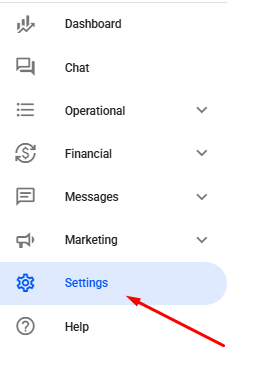
Firs, go to Settings in the account's side menu.
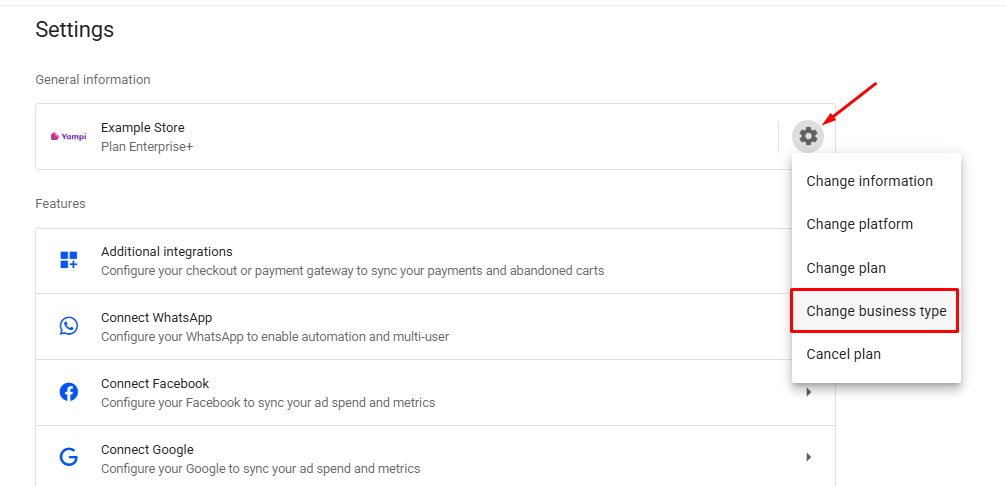
Then, click on the Gear icon ➞ Change business type.
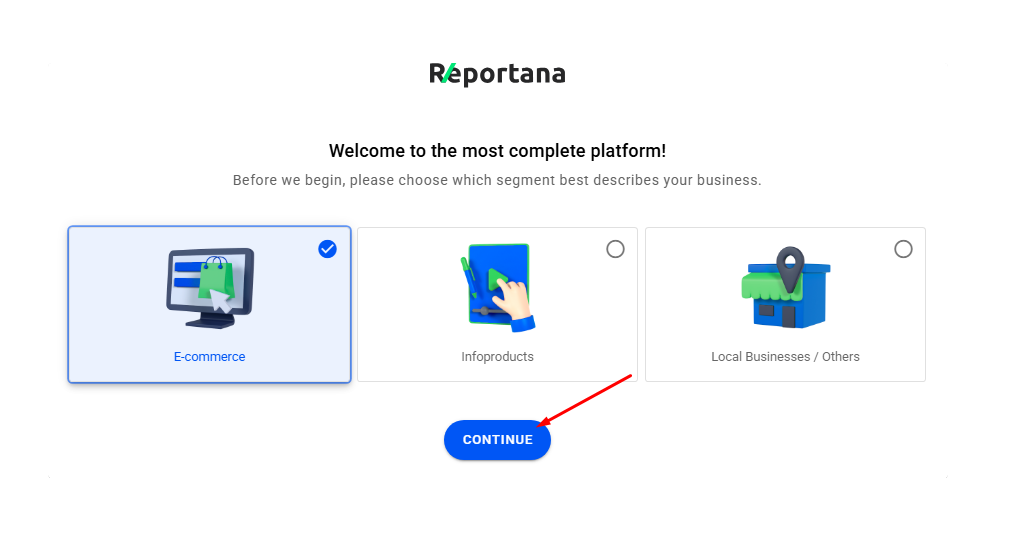
Choose the desired option and click Continue.
This way, the account's business type will be adjusted according to the selected model.