Introduction
Delivery credits on Reportana are units used for sending SMS, making voice calls, and sending emails. Each service has its own specific credits, which can be tracked in real-time, and you can purchase additional packages whenever needed.
How it works
How to check available credits:
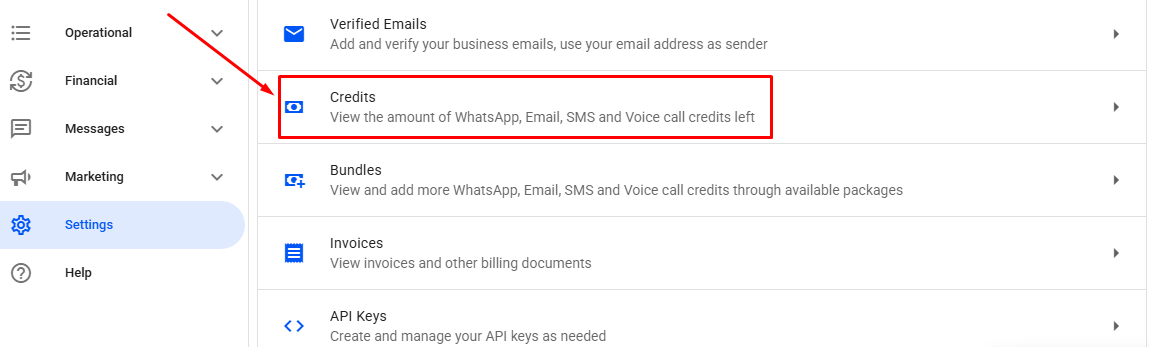
In your Reportana account, navigate to Settings on the side menu → Credits. Or access: Settings — Credits.
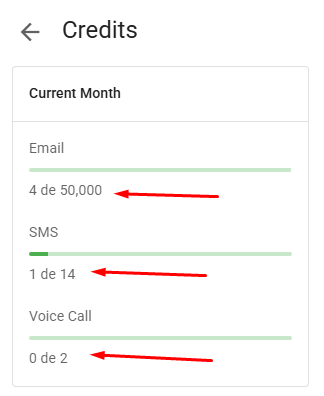
In the current month's statement, you can see the total credits included in your plan, the credits you've purchased in additional packages, and the total credits you've used in the month.
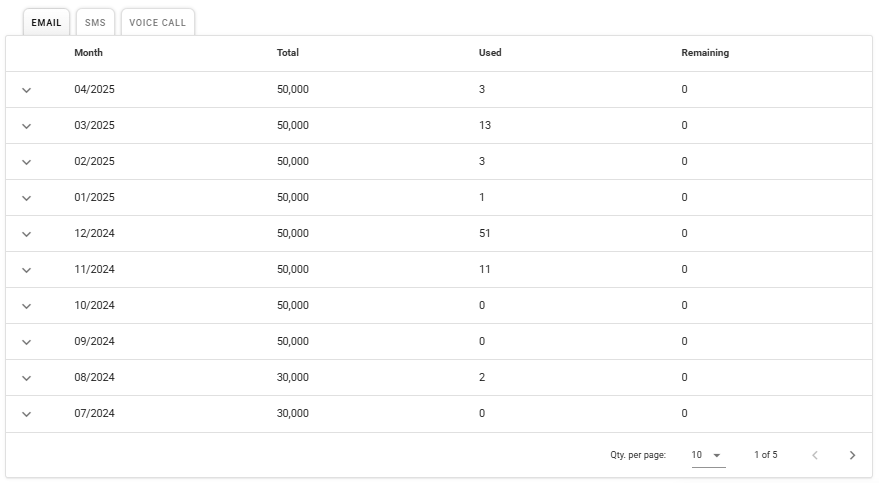
Right here, you can review the usage table from previous months, which shows the total available credits, the credits used, and the remaining credits.
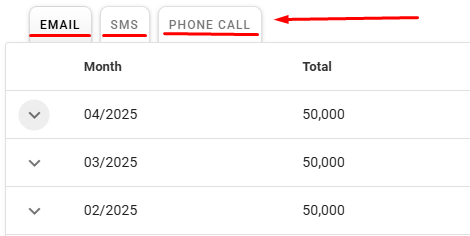
Still in the table, we can expand the view to see detailed information about the credits for each previous month:
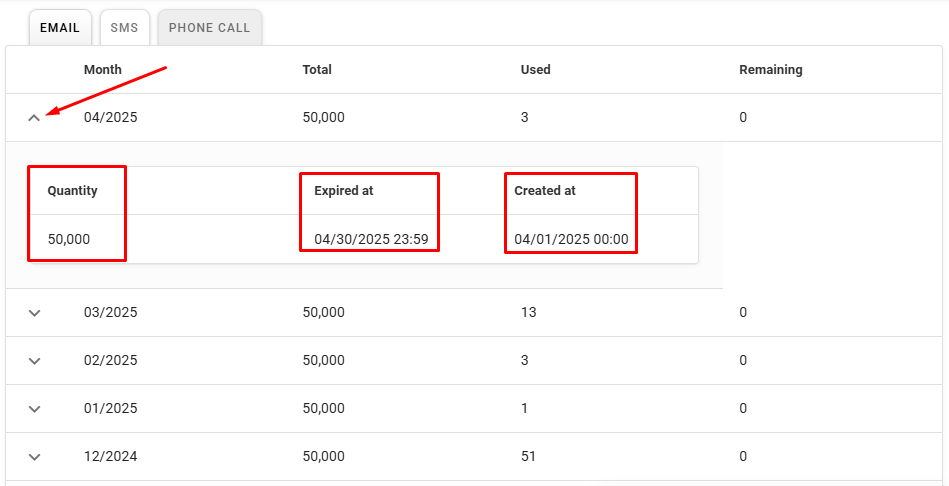
- Quantity: Quantity of credits available on the date in question.
- Created at: The date when the credits became available in the account..
- Expired at: Date when the credits expired.
Important: Credits provided with the active plan on the account expire on the last day of the month and are renewed on the first day of the following month. Credits purchased through additional packages do not have an expiration date and are cumulative.
- On the tabs at the top of the table, you can select the type of credit you want to view the report for.
How to purchase delivery credits:
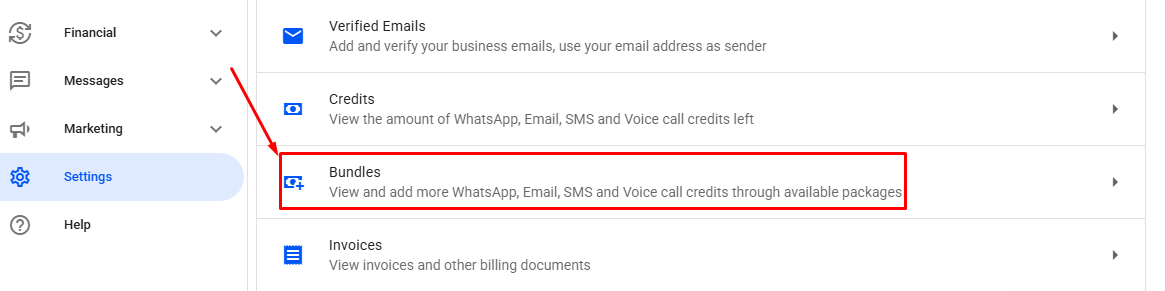
Go back to the Settings tab of your account and navigate to the Bundles option. Or access: Settings — Bundles.
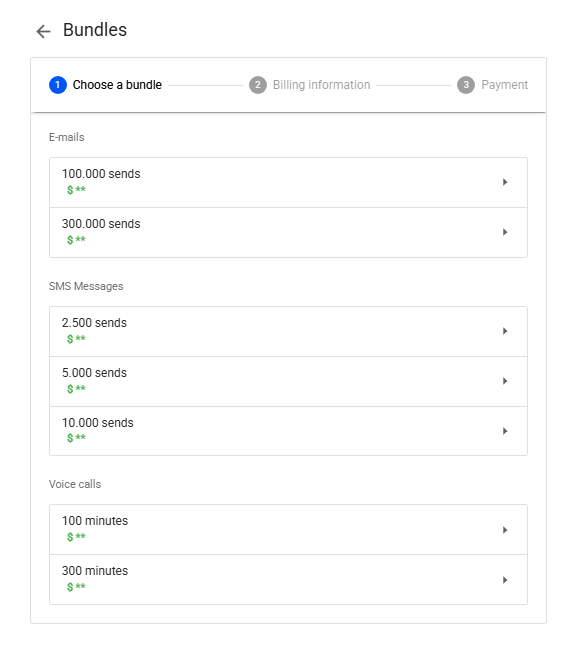
In this section, you can choose the package you would like to purchase from the available options.
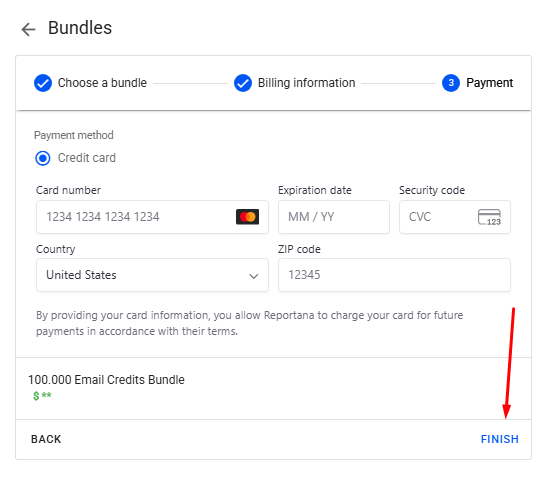
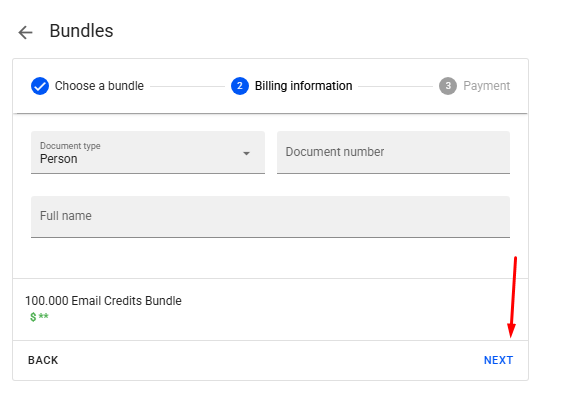
Once you've selected the desired bundle, enter your billing information and complete the payment to finish your purchase.
Important: Due to our anti-fraud system, purchasing additional credits is only allowed after 7 days of using your first subscription on our platform and after making your initial sends. If you'd like to buy a larger amount of credits than what is available for purchase, please contact our support: Reportana — Support