Introduction
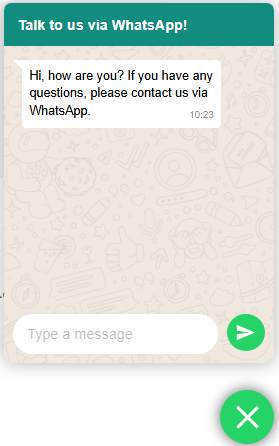
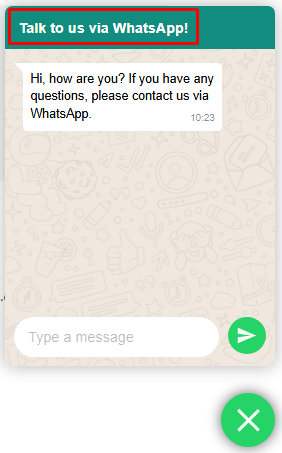
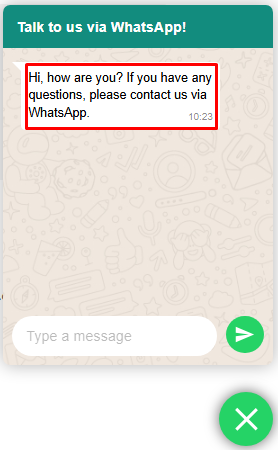
Reportana's WhatsApp plugin is a WhatsApp support pop-up that appears in the bottom right-hand corner of your business website, as shown in the image below. Visitors to your site can contact your business support directly via this plugin.
Next, you will learn how to configure and install our plugin.
How it works
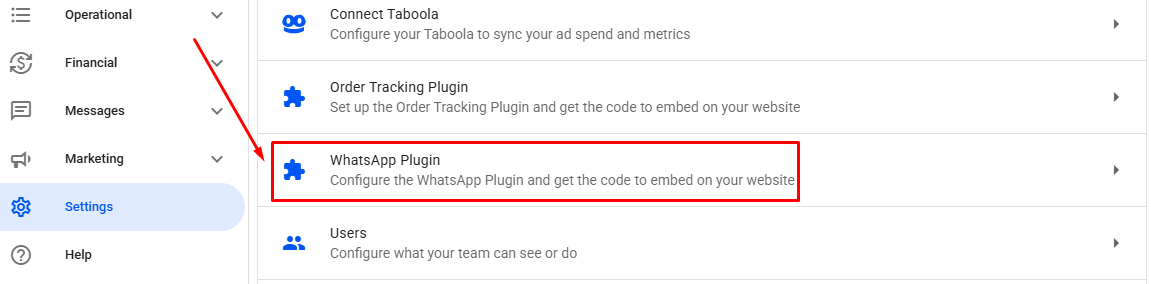
In your Reportana account, navigate to Settings in the side menu → WhatsApp Plugin. Or access: Settings — WhatsApp Plugin.
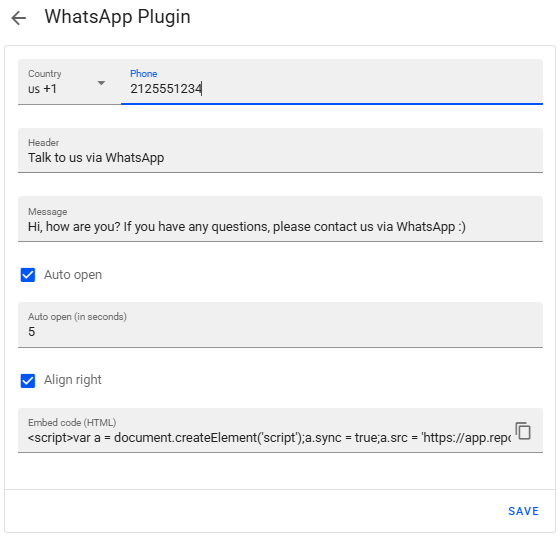
In this tab, you can define some initial settings for the plugin, such as:
- Country: International telephone area code.
- Phone: Phone number that will be configured in the plugin.
- Header: Text that will be displayed at the top of the plugin.
- Message: Main content that will be displayed in the body of the plugin.
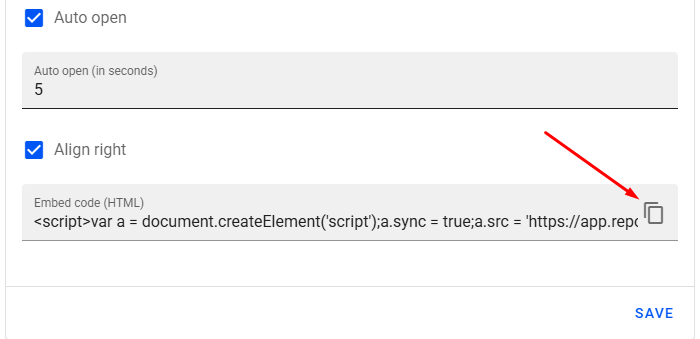
- Auto open: If selected, the plugin will automatically open when you visit the website page after the configured number of seconds.
- Auto open (in seconds): Set the time, in seconds, for the plugin to automatically open when the previous option is enabled.
- Align right: By default, the plugin appears in the bottom left corner, but if you select this option, it will be displayed in the bottom right corner of the page.
To set up the plugin on your website, we recommend looking for tutorials related to adding informational pages or pop-ups in the help center of your website's hosting platform. In this example, we'll add the WhatsApp plugin on Yampi.
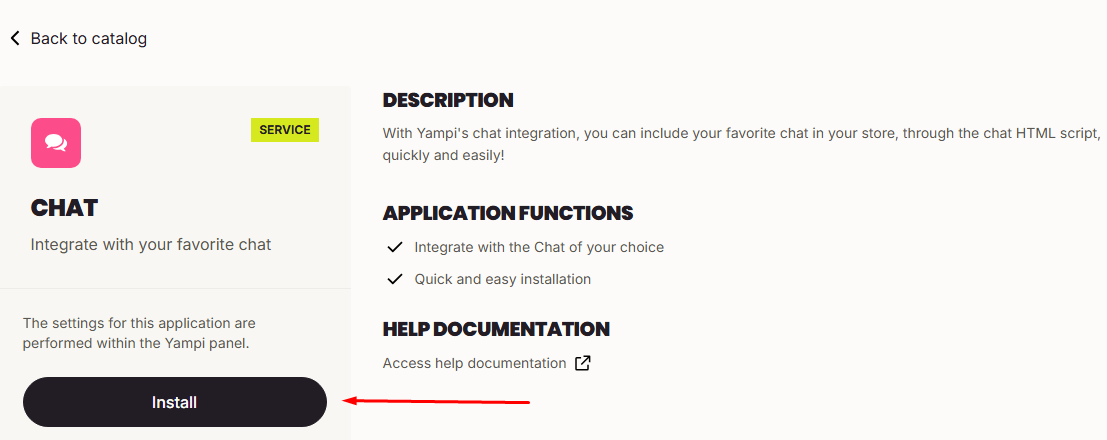
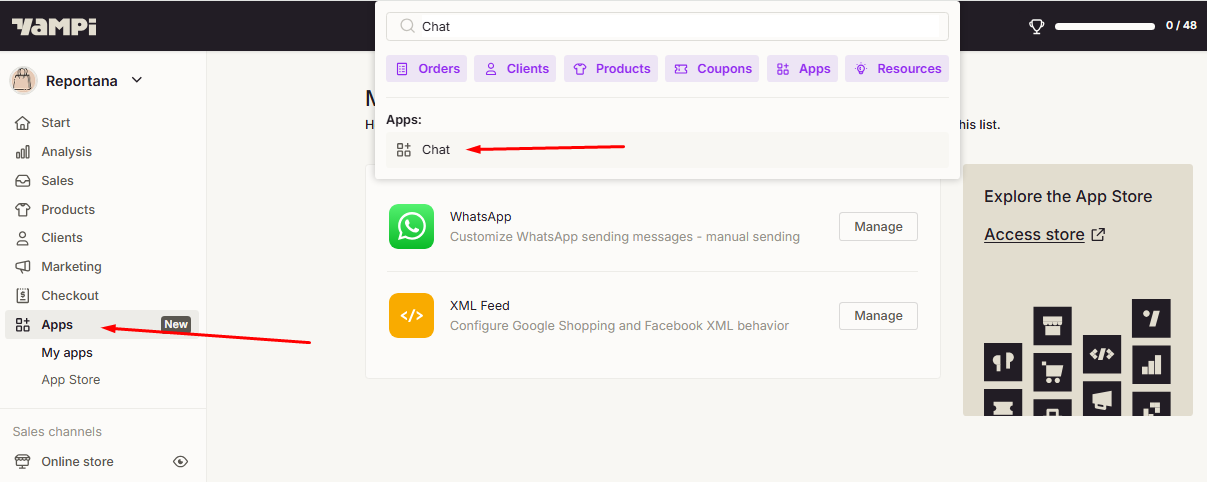
First, log in to your Yampi dashboard Apps ➞ Chat ➞ Click Install.
Copy the WhatsApp plugin script from Reportana.
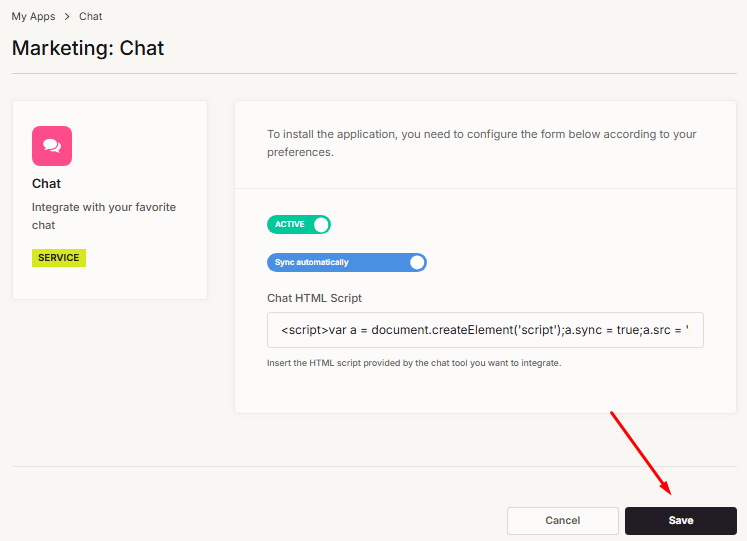
Finally, paste the copied script and save the changes in Yampi.
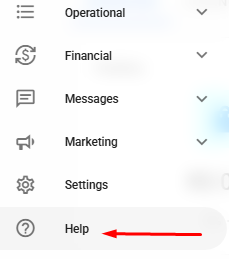
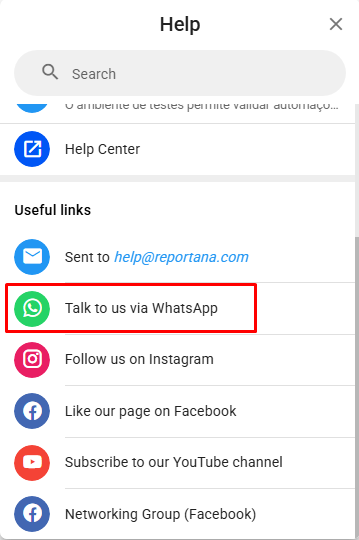
Important: If you have any questions or difficulties, please contact our support team by visiting Help in the side menu of the account ➞ Talk to us via WhatsApp.