
Introduction
Keeping control of the data stored in your account is essential to ensure organization, information security, and compliance with privacy best practices. On Reportana, you can permanently delete data in a simple and fast way, directly through the platform’s dashboard.
How it works
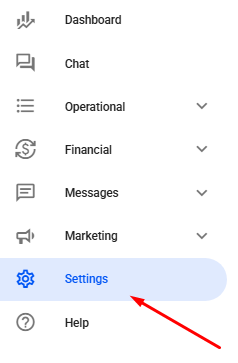
Navigate through the sidebar menu to Settings. Or access: Settings
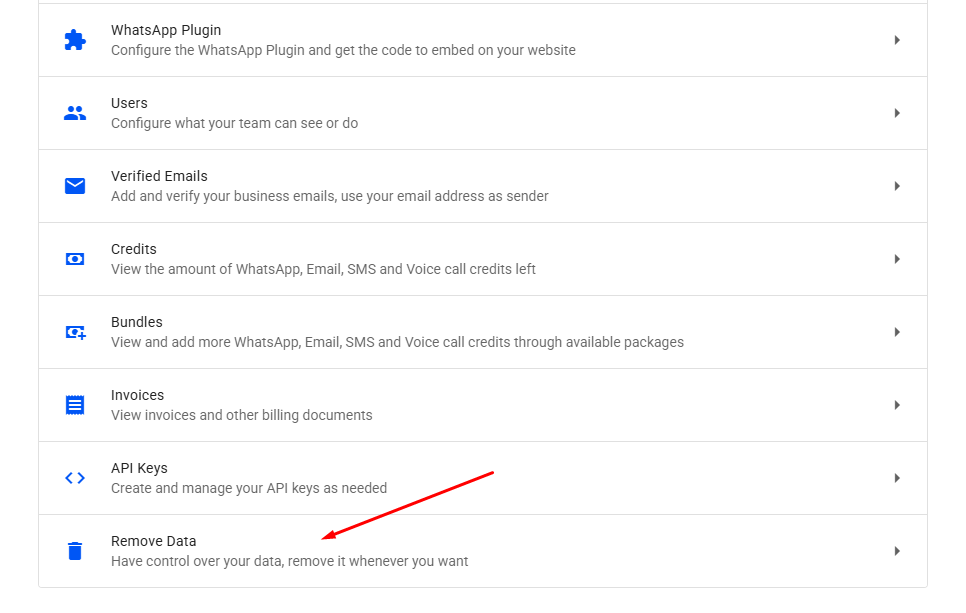
Select the option Remove Data.
Note: Only the account owner has permission to access this feature.
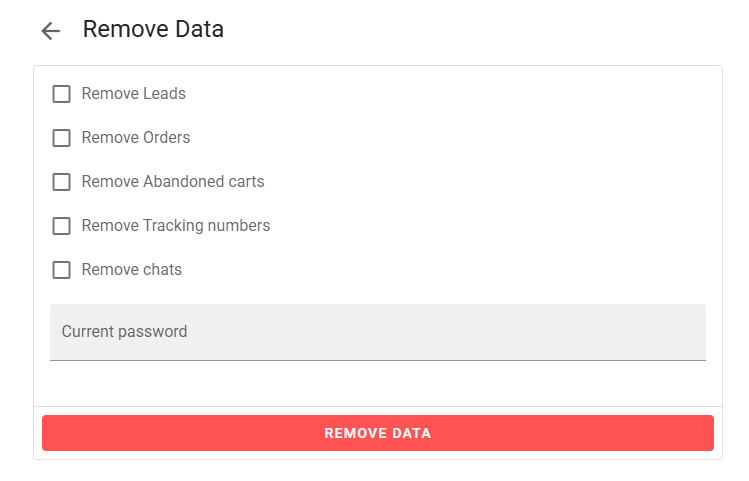
In the deletion tab, you can select and delete different categories of data. The available options are:
- Remove Leads: Permanently removes all registered leads.
- Remove Orders: Deletes all order records from the account.
- Remove Abandoned Carts: Deletes all abandoned cart records from the account.
- Remove Tracking Numbers: Removes shipping tracking codes associated with orders.
- Remove Chats: Deletes all message history exchanged with customers.
Simply check the boxes for the information you wish to delete.
After selecting the desired options, click REMOVE DATA to confirm the deletion.
Note: Once this action is performed, it cannot be undone, so we recommend reviewing carefully before completing the process.
