
Introduction
The export and import automations feature in Reportana allows you to easily transfer your automation settings between different Reportana accounts. When exporting, your automations are saved in a file that can be imported later, making it easier to replicate complex communication flows and ensuring continuity of processes.
How it works
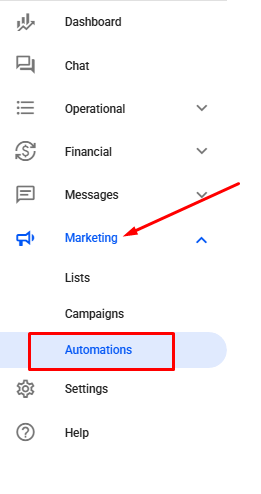
In your Reportana account, navigate to Marketing in the side menu → Automations. Or access: Marketing — Automations
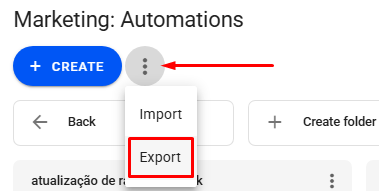
Then, click on the three dots → Export.
Select the automations you want to export and click Export.
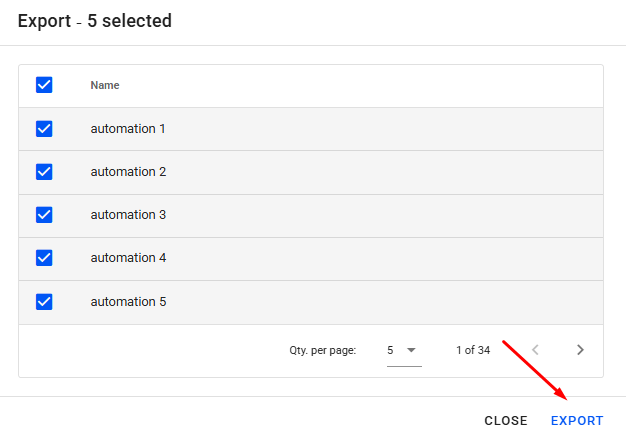
The selected automations will be downloaded in JSON format.
To import, go again to Marketing ➞ Automations ➞ Three dots and this time click on Import.
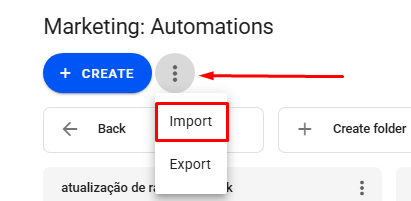
Select the JSON file containing the automations you want to import and click Import.
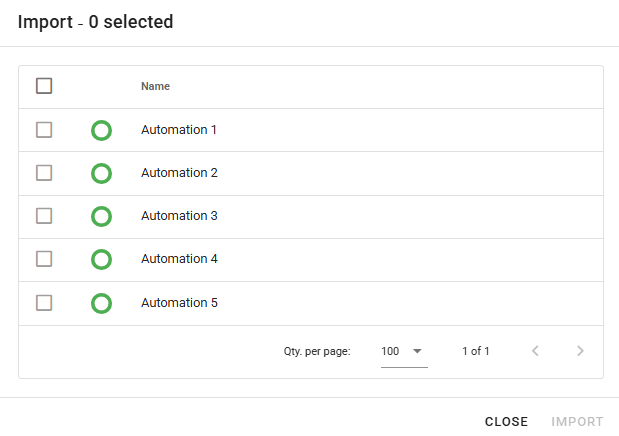
After that, the imported automations will be ready to use.
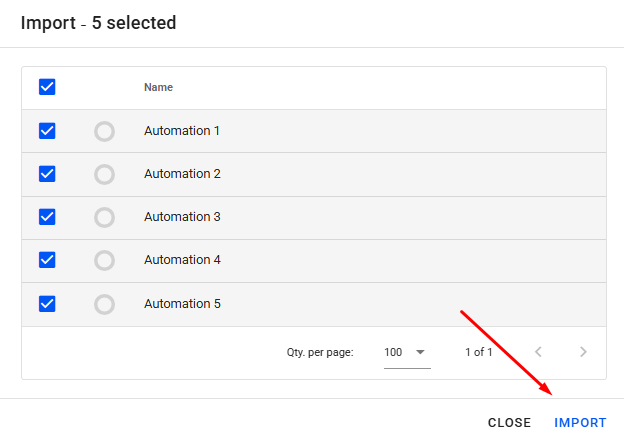
Note: When performing an export, all selected automations will be compressed into a single JSON file. If you use this same file to import, all the chosen automations will be included in it.
