
in your Reportana account, navigate to Settings in the side menu → Gear → Change platform → Shopify. Or access: Reportana - Integration with Shopify.
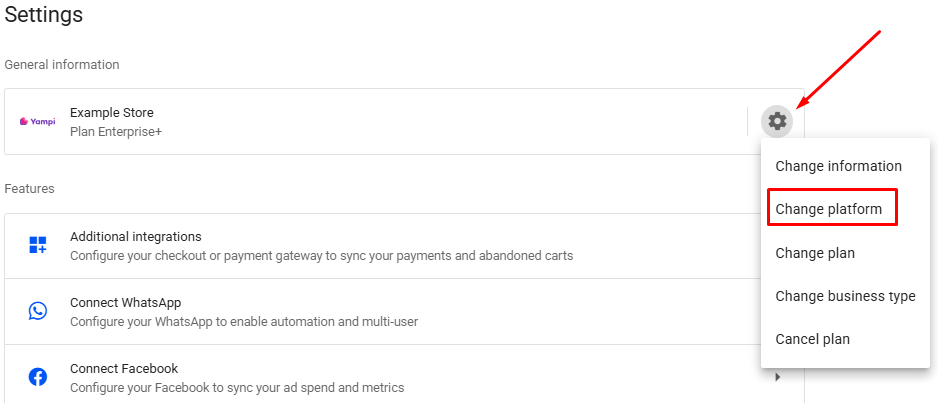
Click on the + Connect option, you will be redirected to the Shopify App Store.
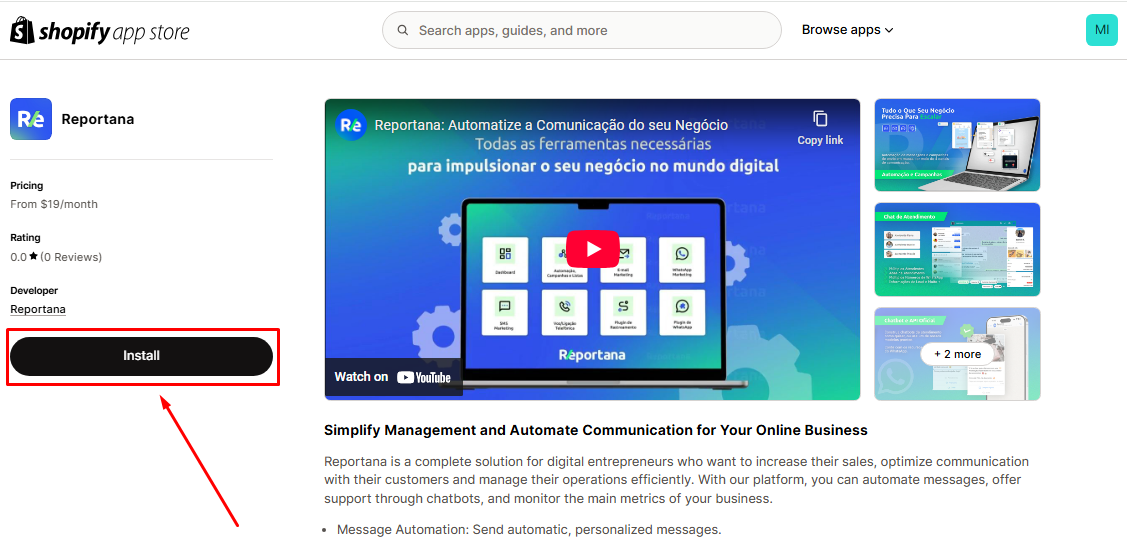
Inside the Shopify App Store, make sure you are logged into your account and click on Install.
Note: Stores created after installing the app via Shopify may be charged in dollars when you first sign up. To make this experience more advantageous, we offer an exclusive 10% off coupon for Shopify customers, just use the discount coupon: SHOPIFY10.
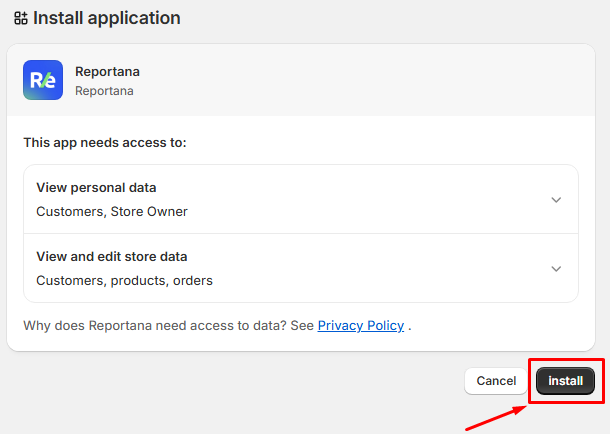
You will be redirected to the Shopify admin tab, to proceed with the installation, click on the Install option again.
After the installation, you will be redirected back to Reportana, and if the installation works correctly, you will be able to see Shopify as the main integrated platform.
October 01, 2024
How to Integrate with Shopify


Related articles
How to Integrate with Kiwify
Kiwify is a platform for selling digital products; it also offers the possibility to sell digital services, such as for example, courses and mentorships. In this article, you will learn how to integrate with Kiwify.

How to Integrate with Cartpanda
Cartpanda offers a complete ecosystem of stores, checkouts and payments to help retailers all over Brazil and the world scale their sales. In this article you will learn how to integrate with Cartpanda.
How to integrate with WooCommerce
WooCommerce is a WordPress plugin that allows you to create online stores using open source code. In this article you'll learn how to integrate it with WooCommerce.