
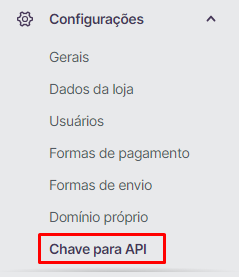
- Em sua conta na Loja Integrada, navegue até Configurações → Chave para API. Ou acesse: Chave de API - Loja Integrada.
Observação: No plano grátis, a Loja Integrada não permite acessar a chave de API, sendo a liberação restrita apenas aos planos pagos.
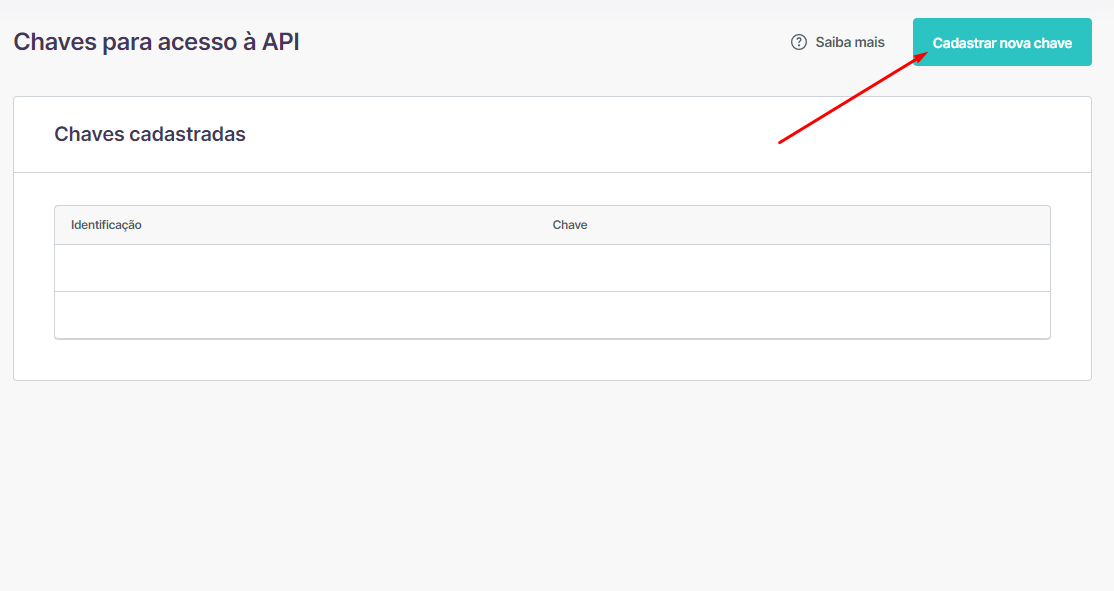
Clique em Cadastrar nova chave.
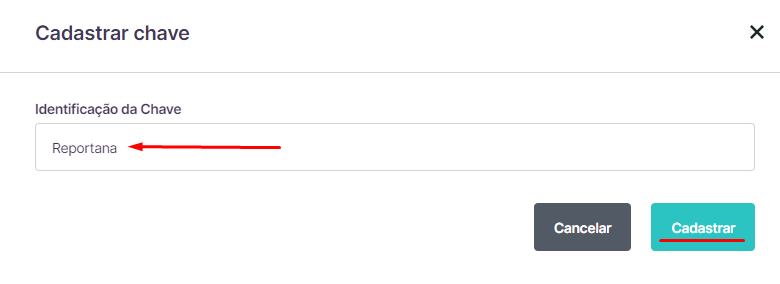
Dê um nome de identificação à chave de API (Exemplo: Reportana). E clique em Cadastrar.
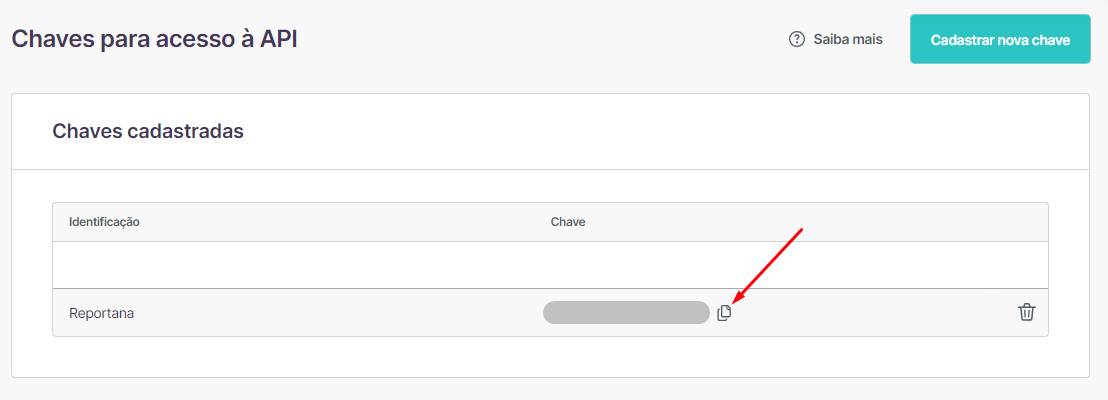
Copie a chave de API gerada.
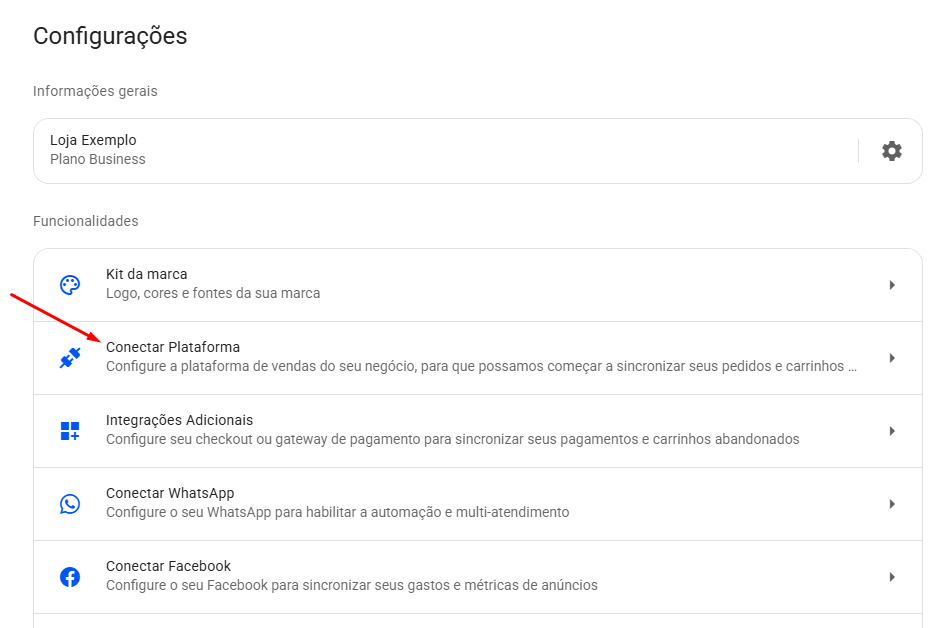
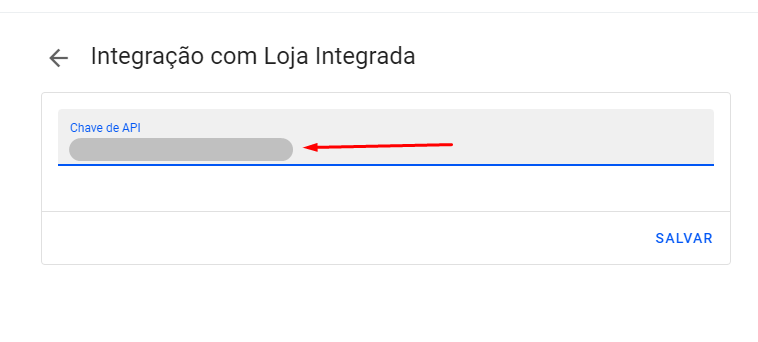
Acesse a sua conta da Reportana e vá até Configurações no menu lateral → Conectar plataforma → Loja Integrada. Ou acesse: Integração com Loja Integrada.
Cole a chave copiada.
Clique em Salvar.
October 01, 2024
Como Integrar com a Loja Integrada
Related articles
How to Integrate with Kiwify
Kiwify is a platform for selling digital products; it also offers the possibility to sell digital services, such as for example, courses and mentorships. In this article, you will learn how to integrate with Kiwify.

How to Integrate with Shopify
Shopify is a subscription-based platform where anyone can set up an online store and sell their physical or digital products. In this article you will learn how to integrate with Shopify.
How to Integrate with Cartpanda
Cartpanda offers a complete ecosystem of stores, checkouts and payments to help retailers all over Brazil and the world scale their sales. In this article you will learn how to integrate with Cartpanda.