
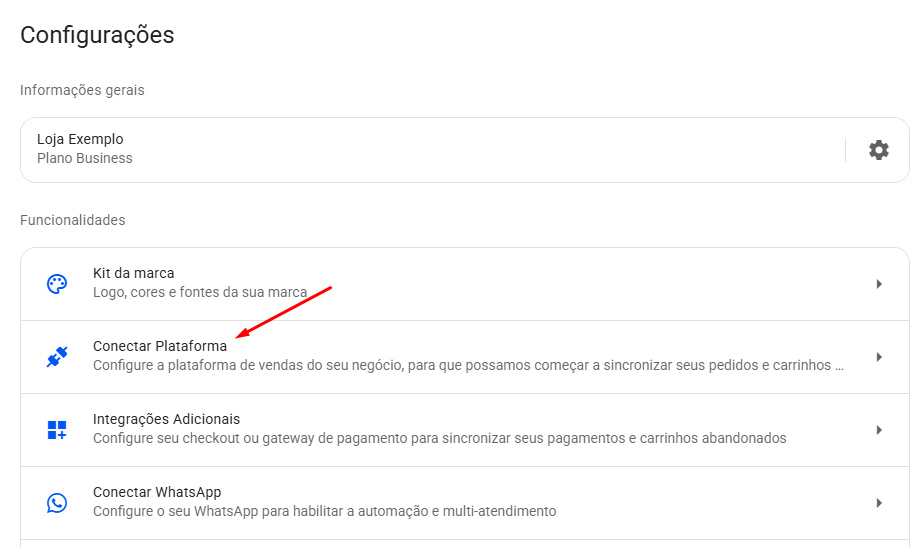
- Em sua conta da Reportana, navegue até Configurações no menu lateral → Conectar plataforma → SuitPay. Ou acesse: Integração com SuitPay.
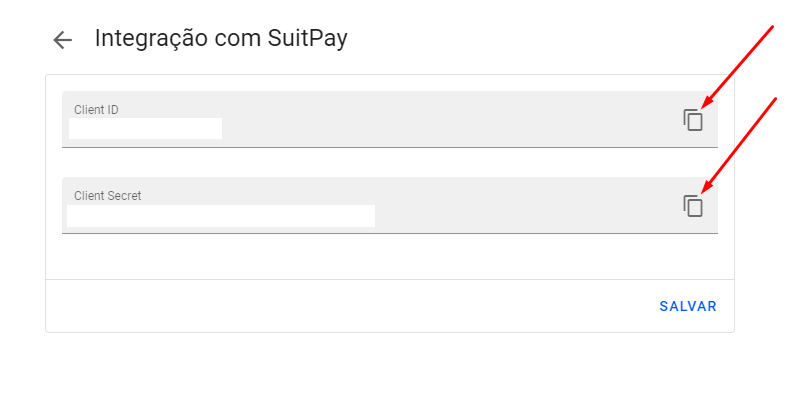
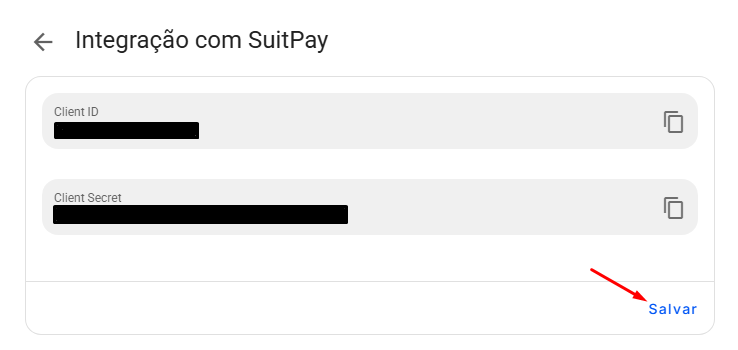
- Copie o Client ID e Client Secret.
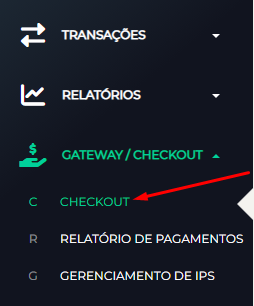
- Acesse sua conta na SuitPay, no menu lateral clique em Gateway/Checkout → Checkout. Ou acesse: SuitPay - Checkout.
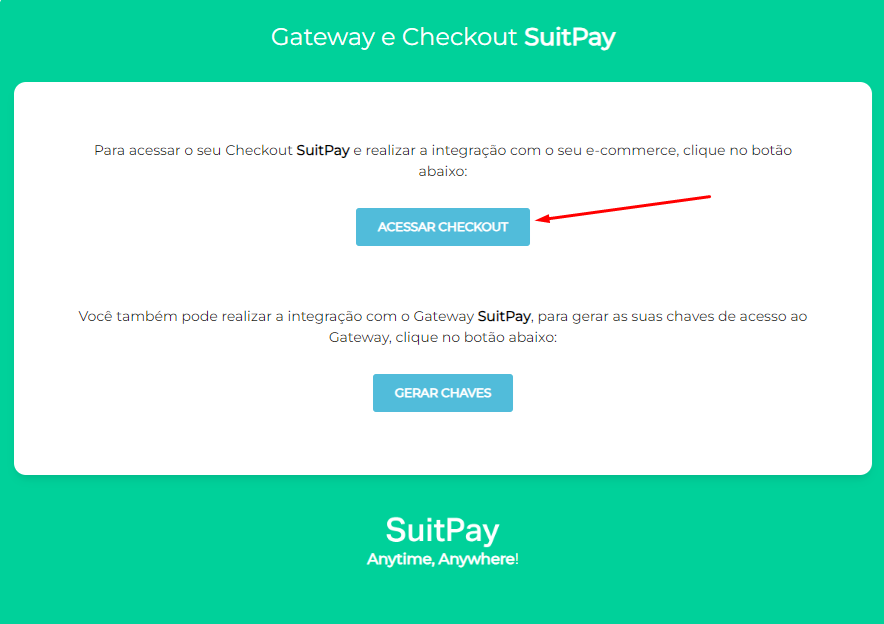
- Clique em Acessar Checkout.
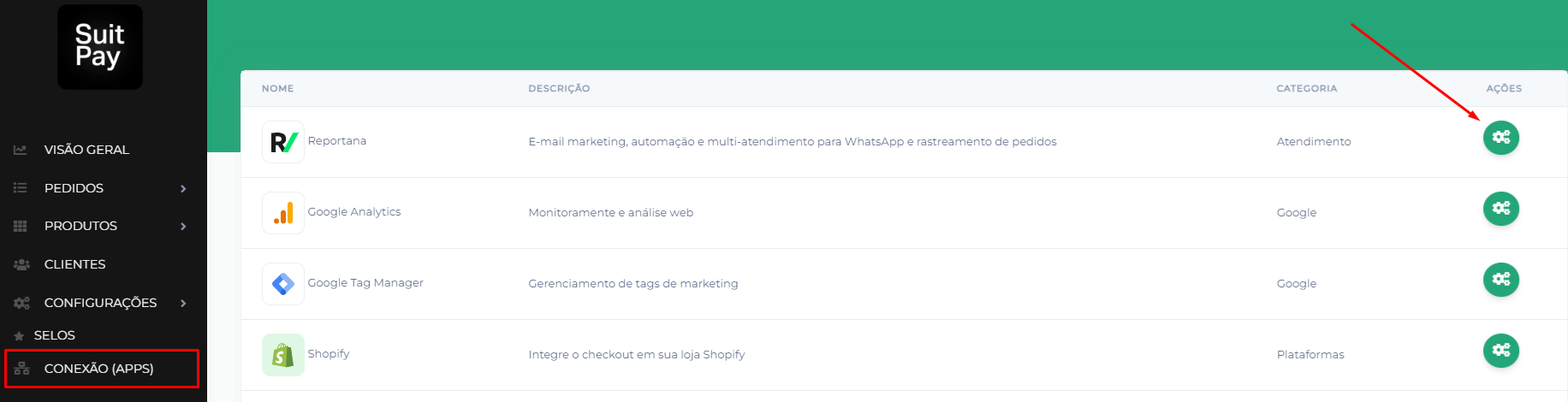
- Você será direcionado para uma nova aba, basta clicar no menu lateral em Conexão (Apps) → Reportana (Engrenagem). Ou acesse: SuitPay - Reportana.
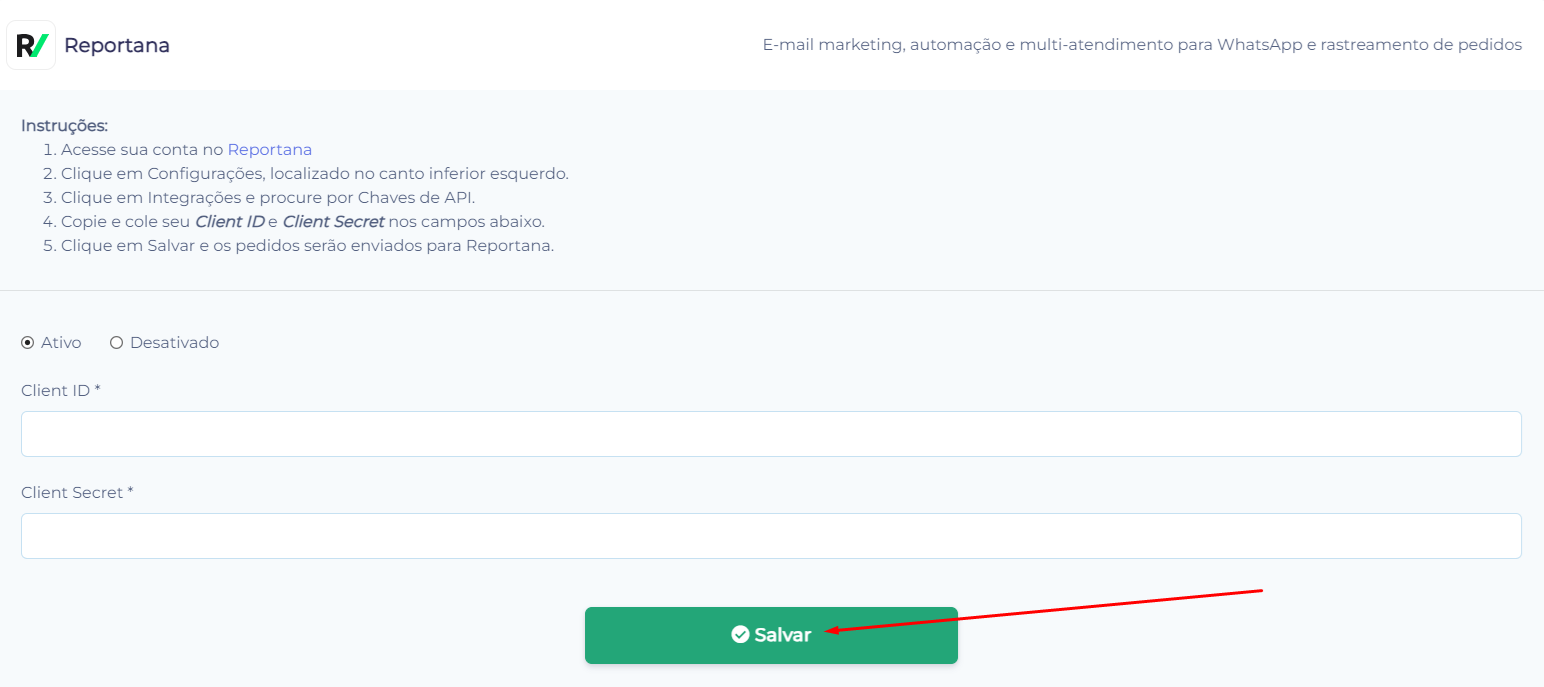
- Marque a opção da integração como Ativo e cole as credenciais de Client ID e Client Secret copiadas.
- Clique em Salvar.
- Volte para a Reportana - Integração com SuitPay e clique em Salvar.
October 01, 2024
Como Integrar com a SuitPay
Related articles
How to Integrate with Kiwify
Kiwify is a platform for selling digital products; it also offers the possibility to sell digital services, such as for example, courses and mentorships. In this article, you will learn how to integrate with Kiwify.

How to Integrate with Shopify
Shopify is a subscription-based platform where anyone can set up an online store and sell their physical or digital products. In this article you will learn how to integrate with Shopify.
How to Integrate with Cartpanda
Cartpanda offers a complete ecosystem of stores, checkouts and payments to help retailers all over Brazil and the world scale their sales. In this article you will learn how to integrate with Cartpanda.