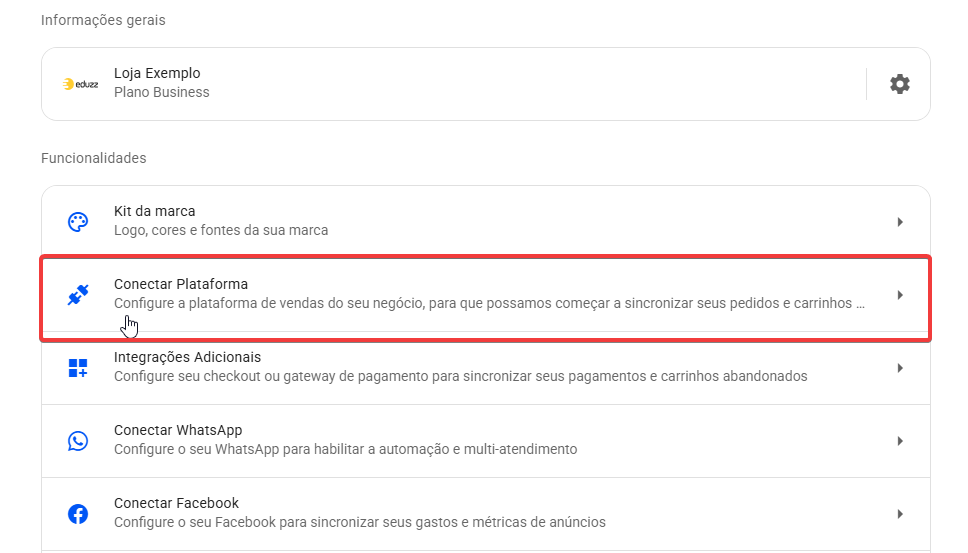
- Em sua conta da Reportana, navegue até Configurações no menu lateral → Conectar plataforma → Vega Checkout. Ou acesse: Integração com Vega Checkout
.
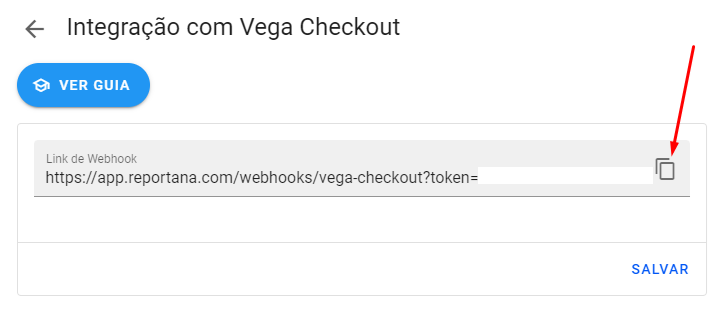
- Copie o Link de Webhook.
A partir deste local, sua conexão dependerá do painel utilizado:
Painel Antigo: Caso utilize o painel antigo da Vega Checkout, siga o passo a passo abaixo.
Painel Novo: Caso seu painel seja o novo, será necessário realizar a conexão via API (uma integração extraoficial mantida pela própria Vega Checkout). Pode seguir o passo a passo em: Integração Extraoficial - Painel Novo
- Acesse sua conta na Vega Checkout, no menu lateral em Aplicativos → Reportana. Ou acesse: Vega Checkout - Reportana.
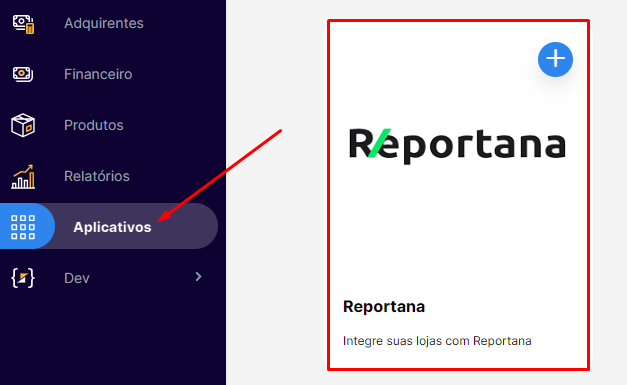
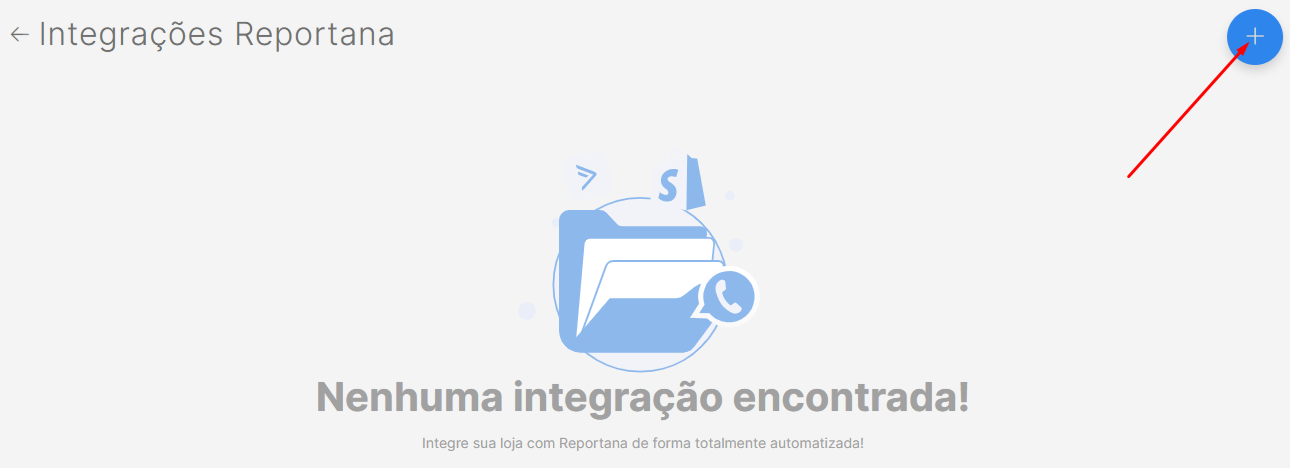
- Clique no botão de + localizado no canto superior direito.
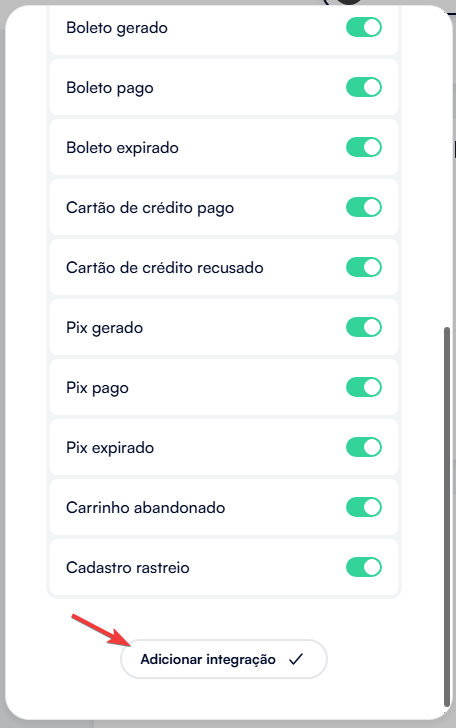
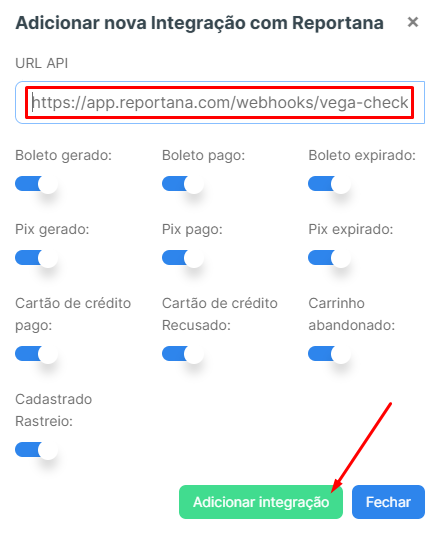
- Cole o link copiado em URL API e clique em Adicionar integração. Mantenha todos os eventos selecionados.
- Volte para a Reportana - Integração com Vega Checkout e clique em Salvar.
Integração Extraoficial - Painel Novo:
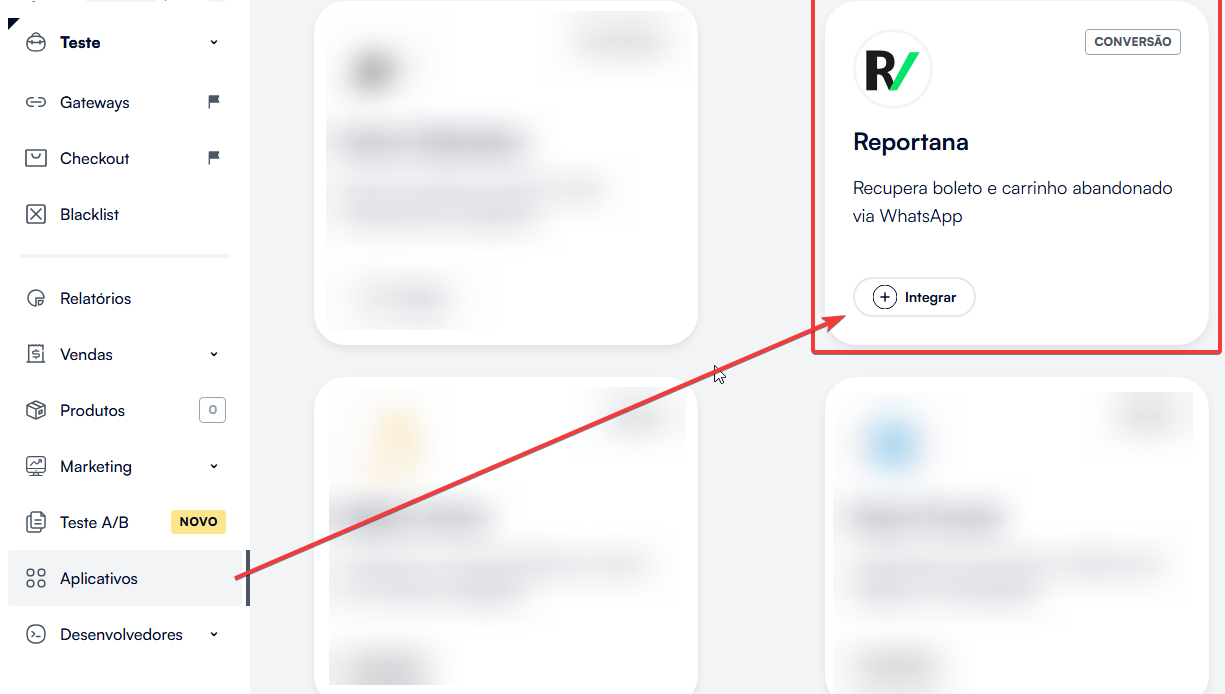
- Acesse sua conta na Vega Checkout, no menu lateral em Aplicativos → Reportana → Clique no botão "+ Integrar".
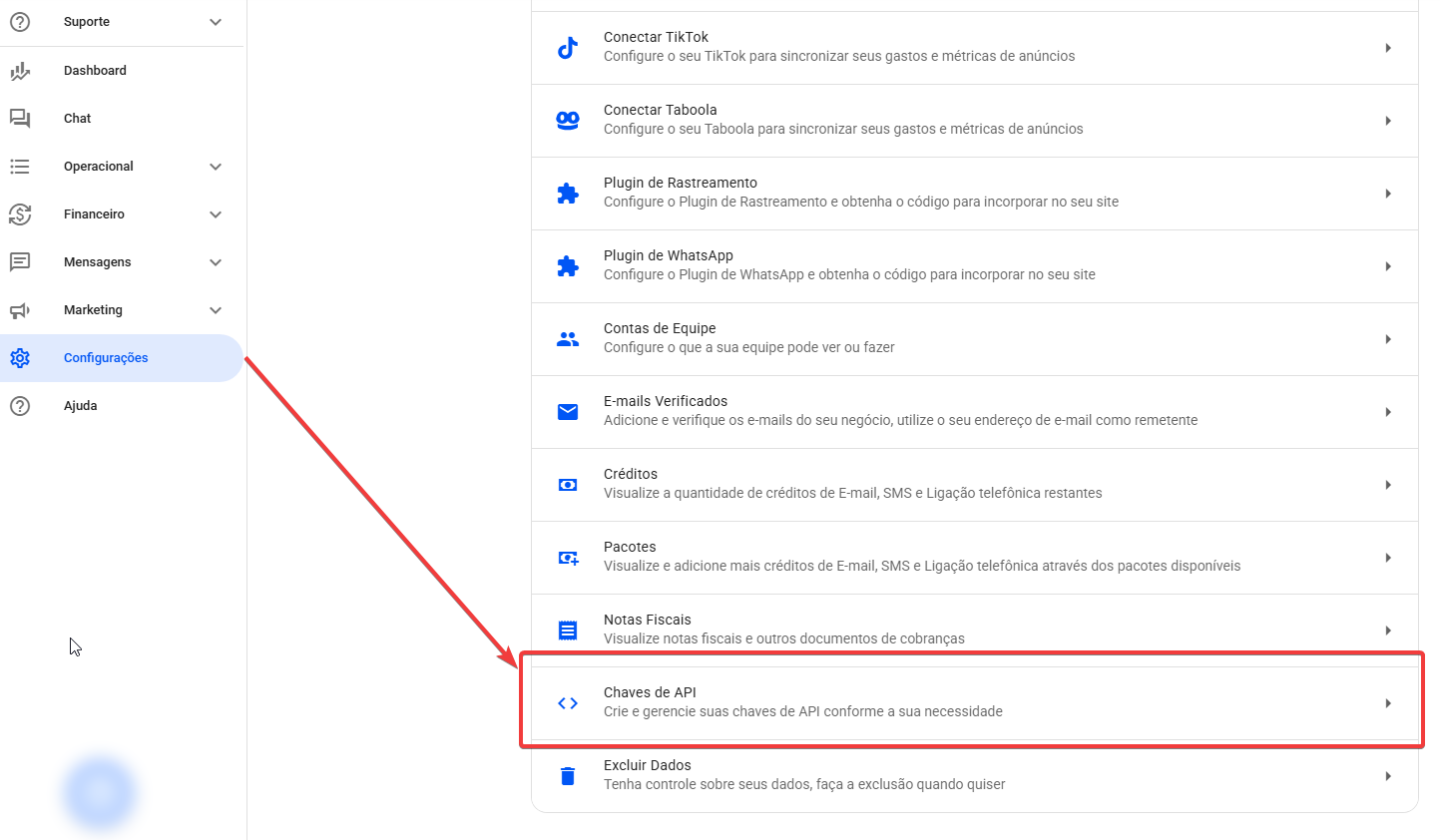
- Busque dentro da Reportana o seu Client ID e Client Secret, é possível encontrar essas informações gerando uma Chave API, pode ser encontrada indo no menu lateral em Configurações → Chaves de API. Ou acesse: Configurações - Chaves de API
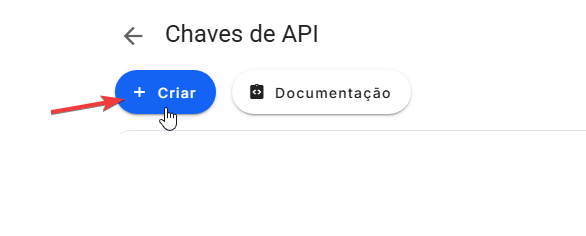
- Dentro da aba clique na opção + Criar e adicione o nome desejado para a integração, essa informação não interfere na integração.
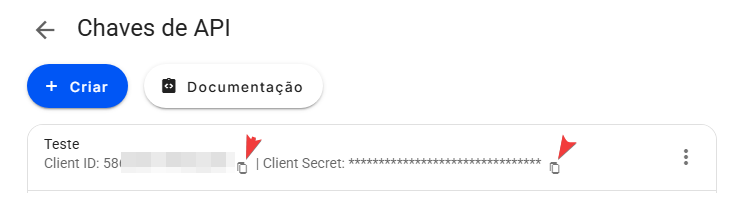
- Após isso ficará disponível para copiar tanto o seu Client ID quanto seu Client Secret.
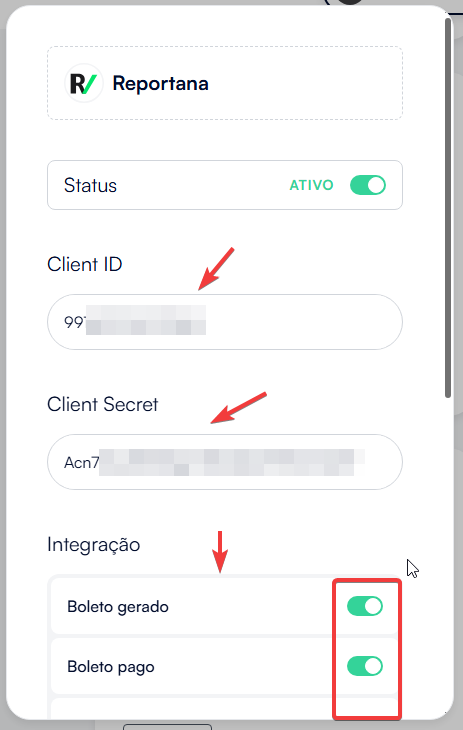
- Adicione dentro da integração o ID e o Secret e selecione todos os eventos.
- Clique em adicionar integração e sua loja já estará integrada a Reportana.