
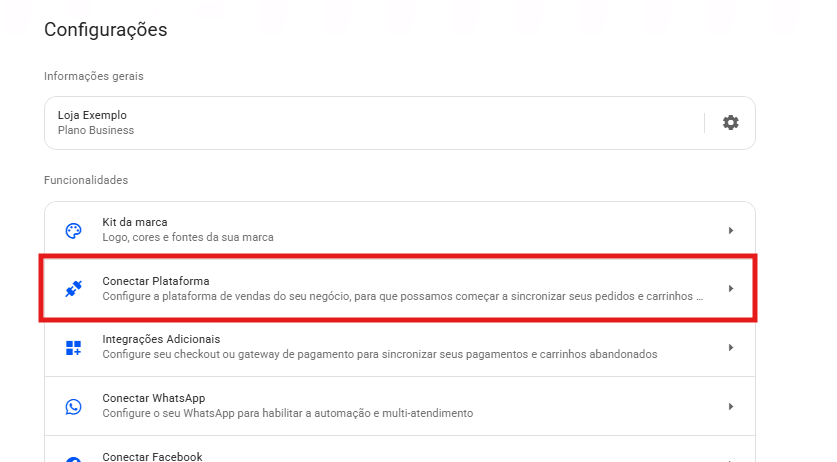
- Em sua conta da Reportana, navegue até Configurações no menu lateral → Conectar plataforma → ViaShopModa. Ou acesse: Integração com ViaShopModa.
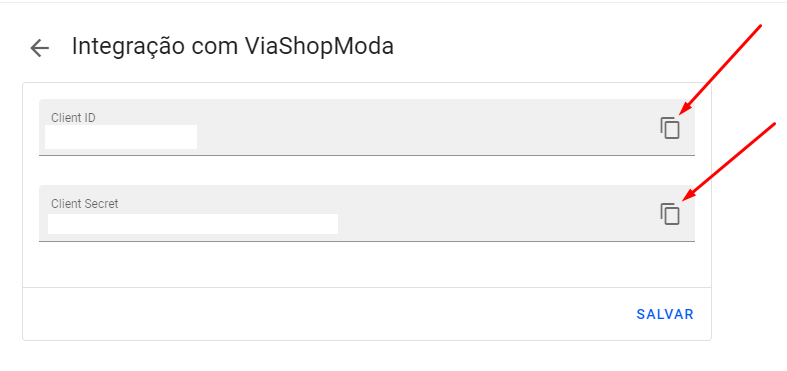
- Copie o Client ID e Client Secret e clique em Salvar.
- Entre em contato diretamente com o suporte da ViaShopModa. Ou acesse: ViaShopModa - Suporte via WhatsApp.
- Envie à equipe técnica as credenciais copiadas, solicitando a ativação da integração entre a Reportana e a ViaShopModa.
- Basta aguardar a confirmação do suporte da ViaShopModa.
Observação: Caso não consiga acessar o link de direcionamento ao suporte por WhatsApp, acesse o site oficial da ViaShopModa para contatá-los: Site oficial - ViaShopModa, clique em CONTATO e preencha o formulário de contato.
