
Introduction
At Reportana, you can customize your subscription plan according to your business needs, ensuring access to the essential features for your growth.
How it works
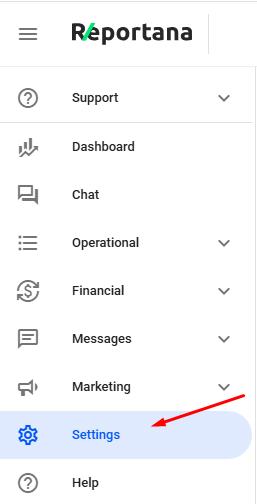
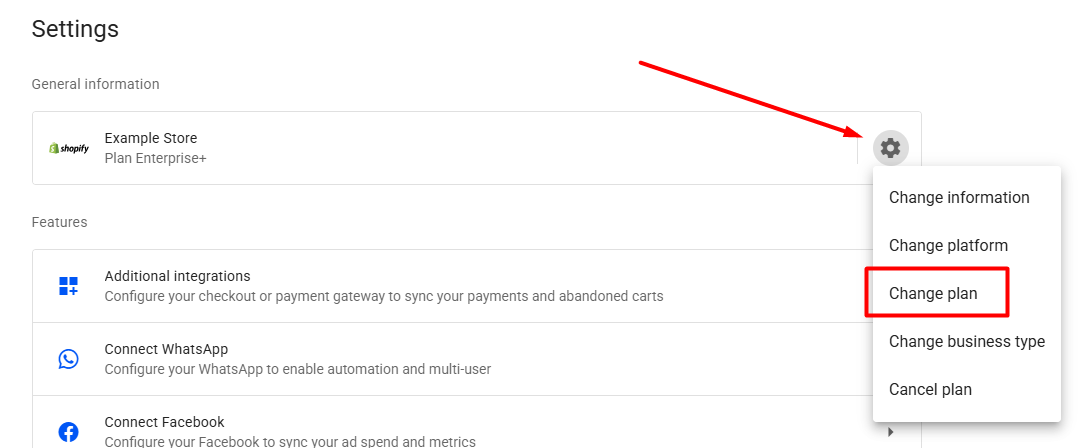
In your Reportana account, navigate to Settings in the side menu → Gear Icon ➞ Change plan. Or access: Settings — Change plan.
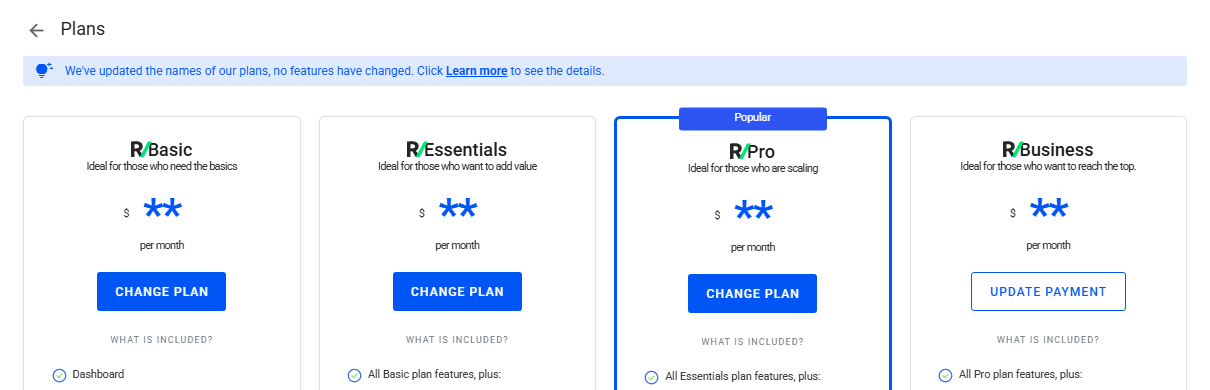
In this section, information about the features available in each plan will be displayed. To proceed, select the desired option and click on Change plan.
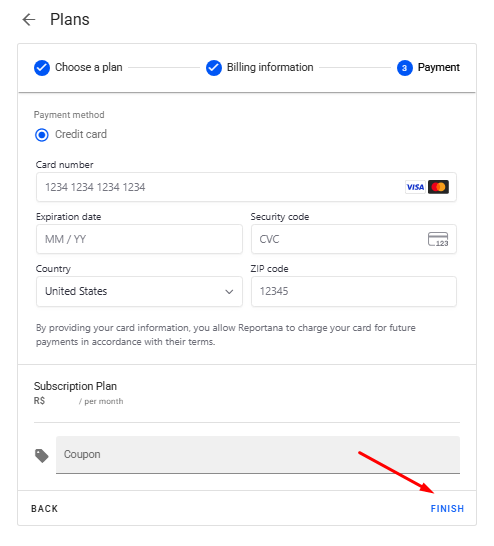
It will be necessary to enter some billing and payment information during the change plan process.
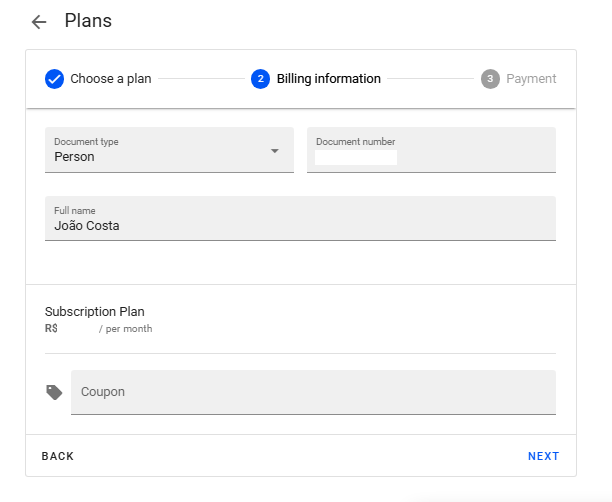
To complete the process, click on Finish to conclude the plan change.
It is worth considering we have an internal policy for plan changes, ensuring that our customers are not affected by the cost of changing their plan. Below, we will detail the description of our plan upgrade or downgrade policy.
Upgrade: If you upgrade — that is, switch to a higher plan — before the end of your current 30-day billing cycle, the full amount of the new plan will be charged. However, the next charge will be postponed, applying the unused portion of your previous plan as credit. The date of your next billing will be displayed when you make the change.
Downgrade: If you downgrade — that is, switch to a lower plan — before the end of your current 30-day billing cycle, the remaining balance will be credited toward your future subscription payments. The date of your next billing will also be displayed when you make the change.
October 01, 2024
How to Change Your Subscription Plan
Related articles
How to Set Up Team Accounts
"Users" are used to allow you to add collaborators to your Reportana account. In this article, we'll show you how to send the invitation link to your employee and how how to add them to your account.

How to Connect WhatsApp
By connecting your company's WhatsApp to our platform, you can use our messaging chat to handle customer support, send automations, and run WhatsApp campaigns. Learn how to connect and synchronize in this tutorial.
How to Access API Documentation
Reportana's API (Application Programming Interface) documentation provides developers with the API for integrating other platforms or systems with Reportana. Learn how to access our API documentation in this tutorial.