
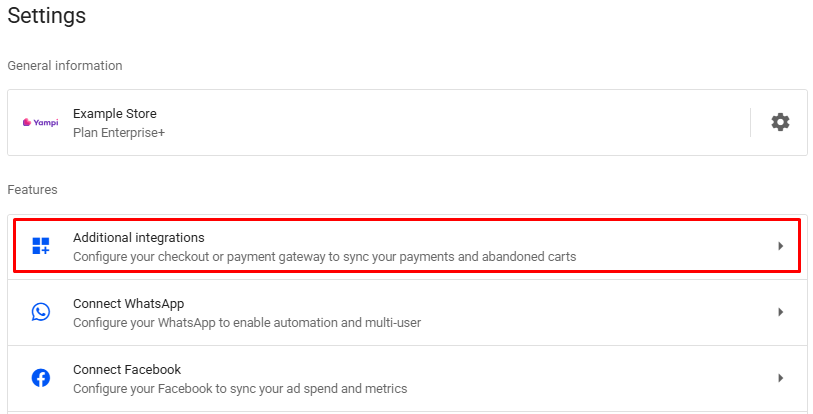
- In your Reportana account, go to Settings in the side menu → Additional Integrations → Appmax. Or access: Integration with Appmax.
Note: You can also configure Appmax as the main platform by going to Settings → Gear → Change platform → Appmax. Or access Integration with Appmax.
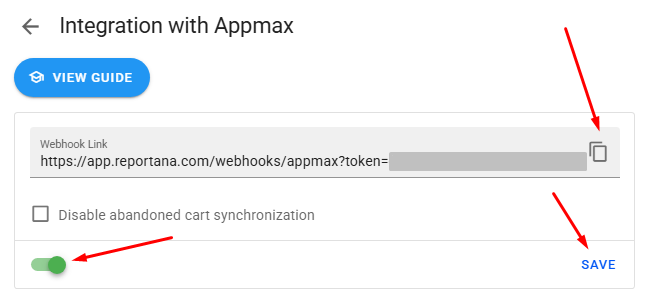
Activate the button and copy the Webhook link.
In Appmax, find Settings in the side menu → Apphooks (Webhooks). Or access: Appmax - Apphook.
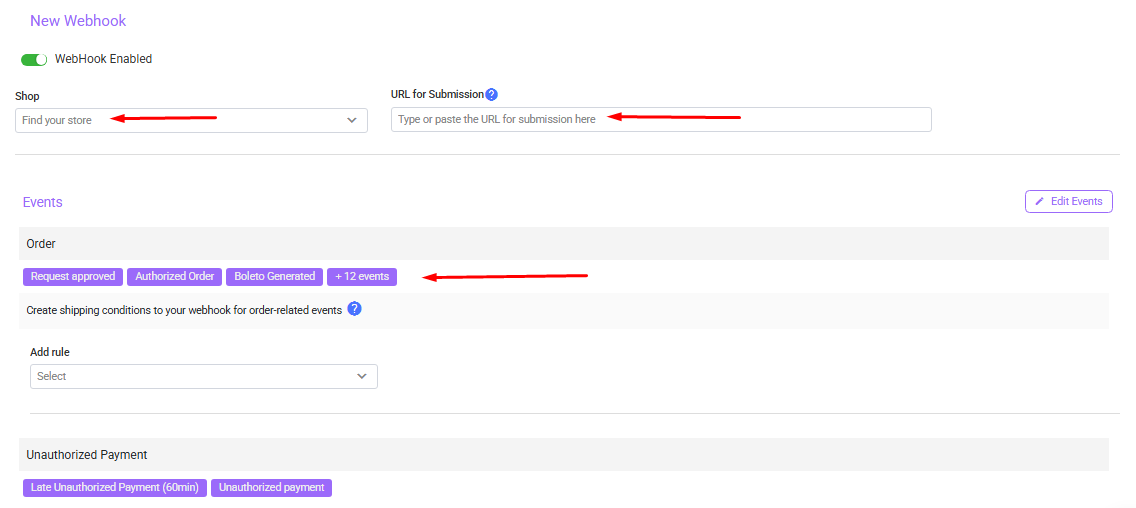
Click New Webhook.
Select your store.
6.Paste the copied Webhook link.
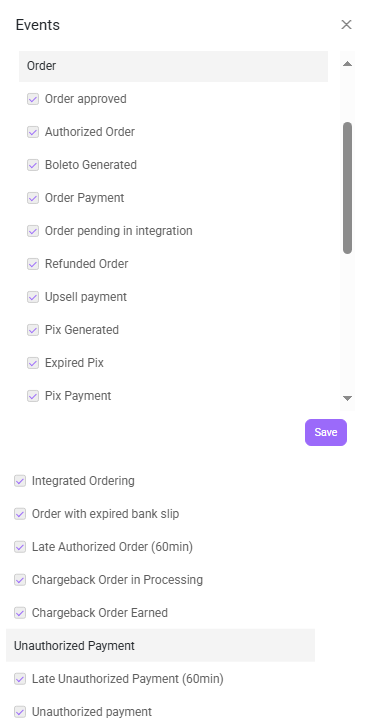
Select all the Order and Unauthorized Payment items in Events and click on Save. The rule field is “NOT” a mandatory requirement, so you can leave it without a rule selected
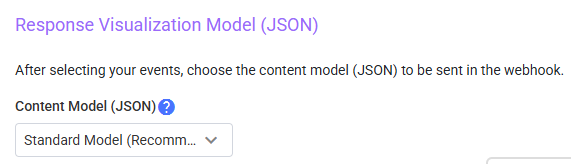
Select “Standard Model (Recommended)” in the Response Visualization Model (JSON).
Click to Save the settings you've made.
Go back to Reportana in Integration with Appmax and click Save.
October 01, 2024
How to integrate with Appmax
Related articles
How to Integrate with Kiwify
Kiwify is a platform for selling digital products; it also offers the possibility to sell digital services, such as for example, courses and mentorships. In this article, you will learn how to integrate with Kiwify.

How to Integrate with Shopify
Shopify is a subscription-based platform where anyone can set up an online store and sell their physical or digital products. In this article you will learn how to integrate with Shopify.
How to Integrate with Cartpanda
Cartpanda offers a complete ecosystem of stores, checkouts and payments to help retailers all over Brazil and the world scale their sales. In this article you will learn how to integrate with Cartpanda.