
- Access your account at CartPanda.
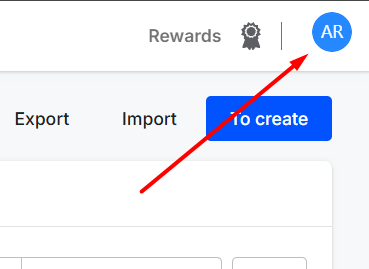
- Click the Profile icon in the top right corner.
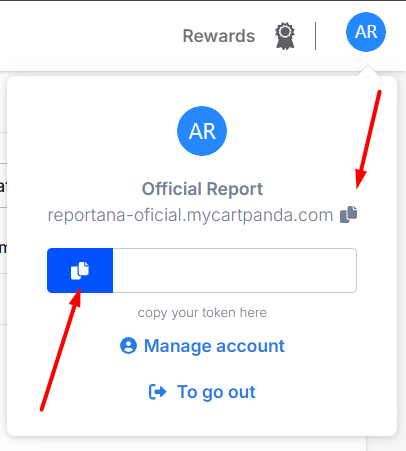
- Copy your store's Token and URL.
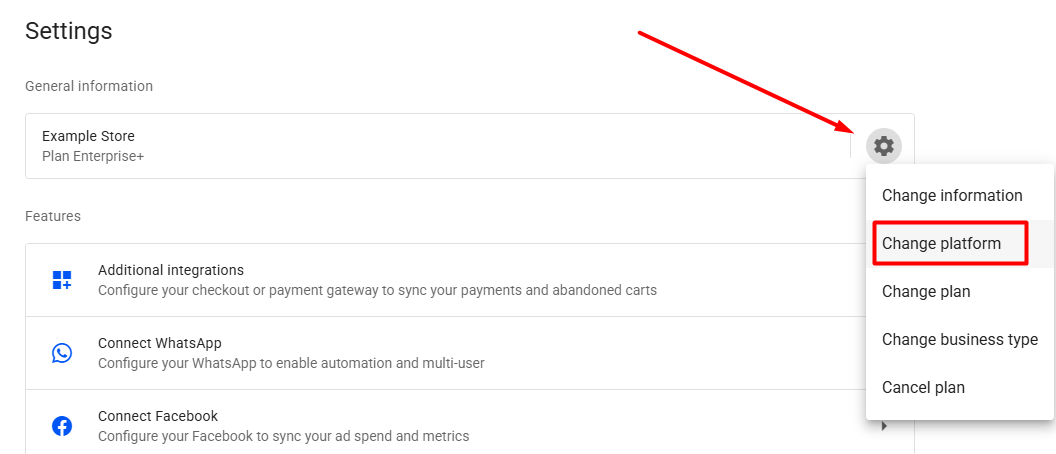
- In your Reportana account, go to Settings in the side menu → Gear icon → Change platform → CartPanda. Or access: CartPanda Integration.
Note: If integrating CartPanda only as a checkout (not your main platform), use: Settings in the side menu → Additional integrations → CartPanda. Or access: CartPanda Integration - Paste the copied Token and URL.
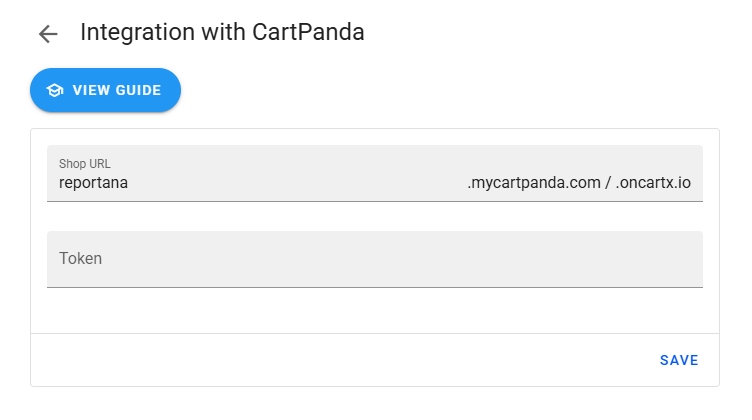
- Click Save.
October 01, 2024
How to Integrate with Cartpanda
Related articles
How to Integrate with Kiwify
Kiwify is a platform for selling digital products; it also offers the possibility to sell digital services, such as for example, courses and mentorships. In this article, you will learn how to integrate with Kiwify.

How to Integrate with Shopify
Shopify is a subscription-based platform where anyone can set up an online store and sell their physical or digital products. In this article you will learn how to integrate with Shopify.
How to integrate with WooCommerce
WooCommerce is a WordPress plugin that allows you to create online stores using open source code. In this article you'll learn how to integrate it with WooCommerce.