
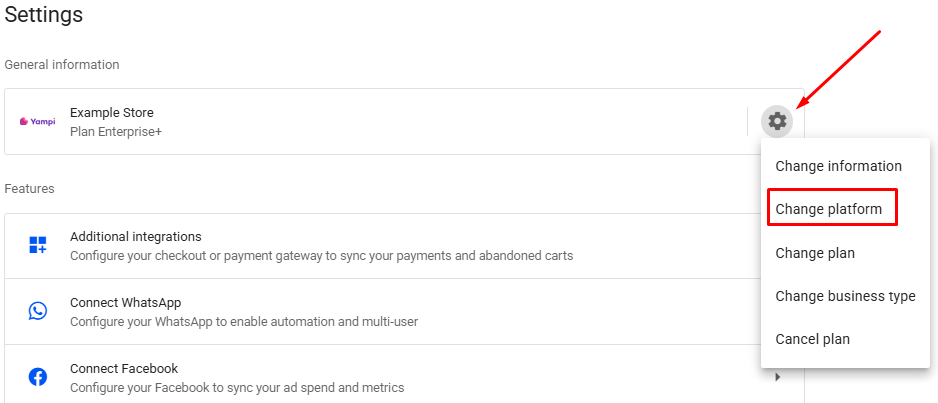
- In your Reportana account, go to Settings → Gear → Change Platform → Digital Manager Guru. Or access: Integration with Digital Manager Guru.
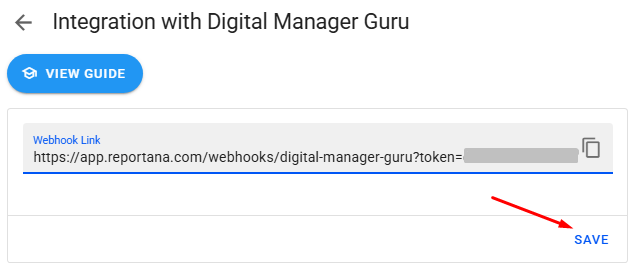
- Copy the Webhook link.
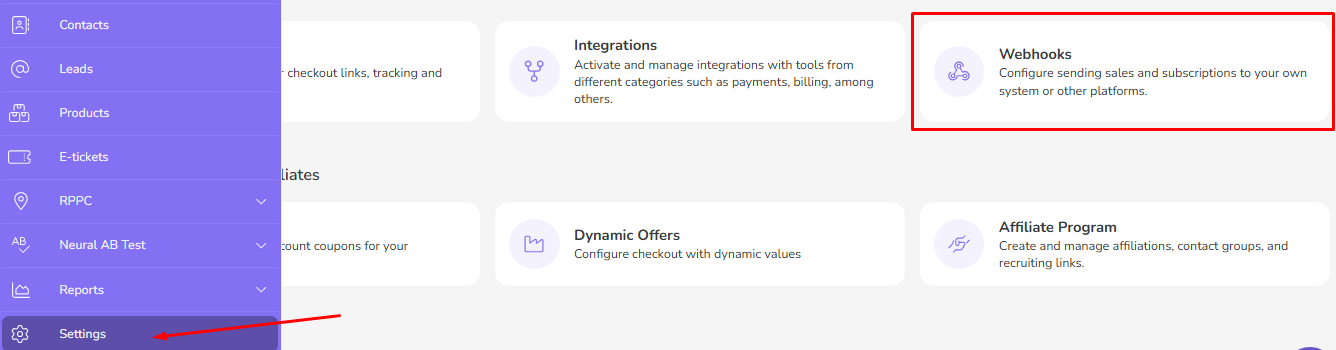
- In Digital Manager Guru, go to Settings → Webhooks in the side menu. Or access: Digital Manager Guru - Webhooks.
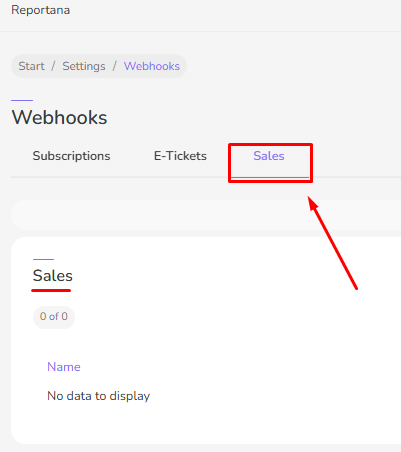
- In the Webhooks tab, first select the Sales option.
- Then click on ⁝ (Add webhook).
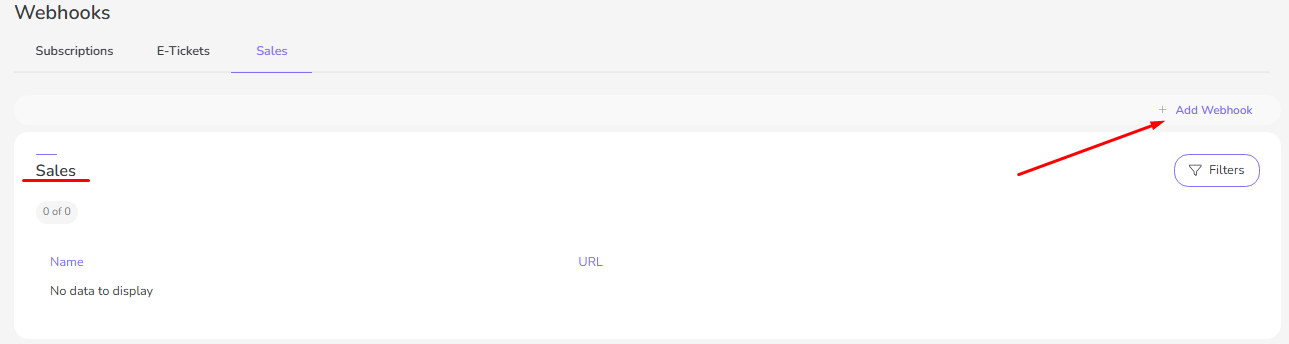
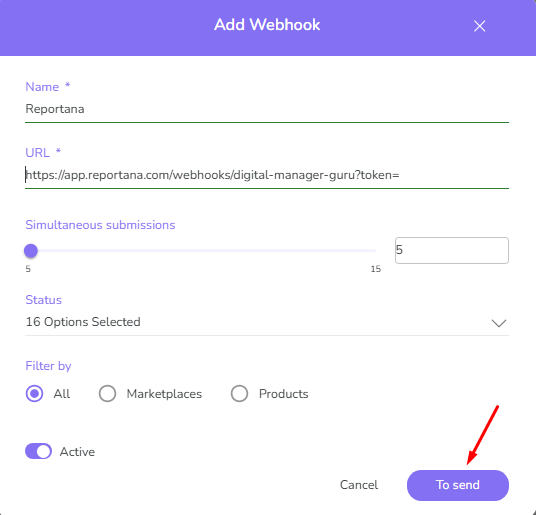
- In Create Webhook, add the following information:
- In Name, enter a name. Example: Reportana.
- Under URL, paste the Webhook link you copied.
- Keep the default settings in Simultaneous Submissions.
- Select all the events and keep the webhook active.
- Click on To send to save the webhook.
- Go back to Reportana at Integration with Digital Manager Guru and click on Save.
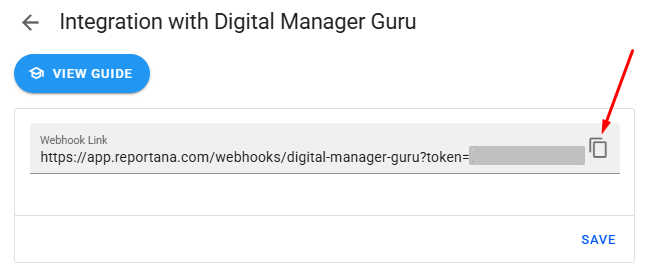
- Go back to Reportana at Integration with Digital Manager Guru and click on Save.
