
- First, access your Mercado Pago account in the developer section: Mercado Pago - Developers.
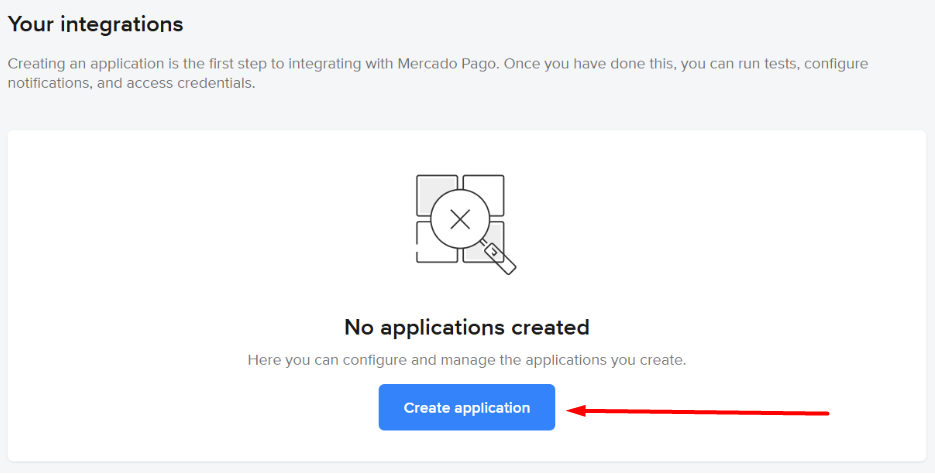
- Click the Create application button.
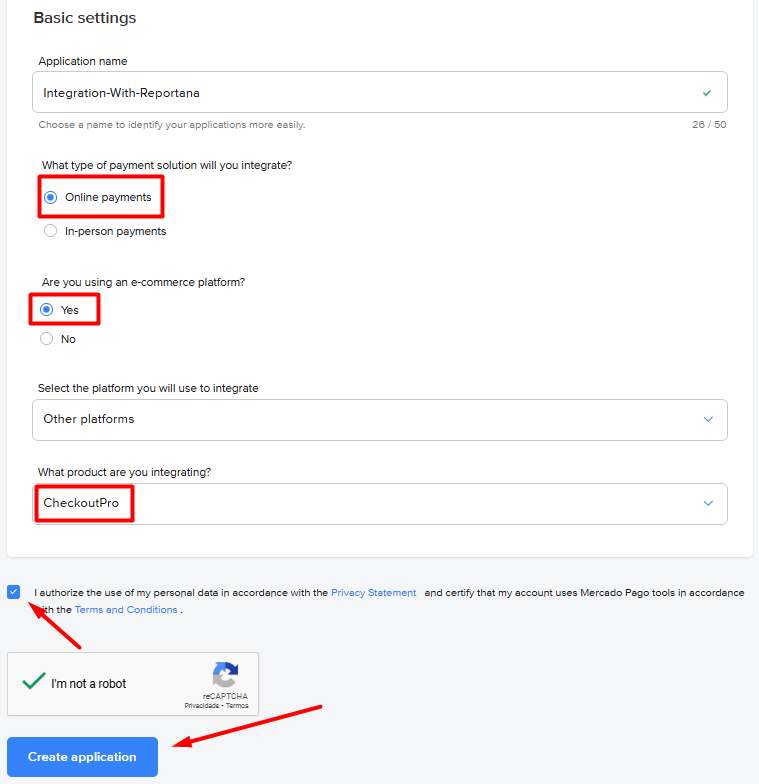
- Then fill in the following information:
- Name your application;
- Select Online Payments as the payment solution type;
- If using an e-commerce platform, check Yes;
- Enter your platform or select Other platforms;
- For integrated product, choose your preferred checkout option;
- Grant necessary permissions and click Create application.
-
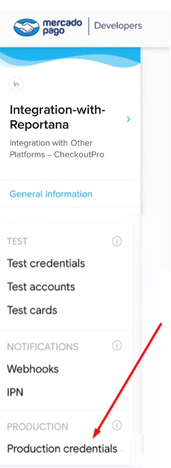
After the page loads, go to Production → Production Credentials in the side menu.
-
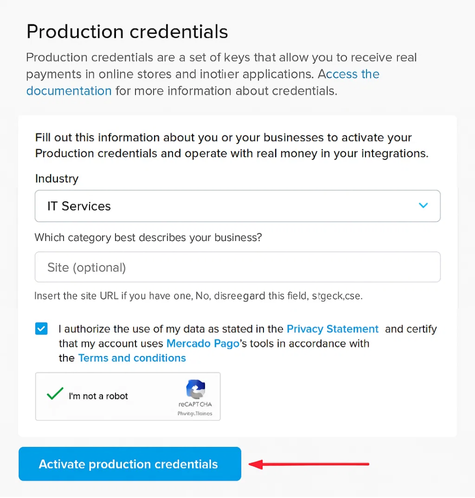
To access credentials:
- Enter your business segment
- Add website link (optional)
- Grant permissions
- Click Activate production credentials
-
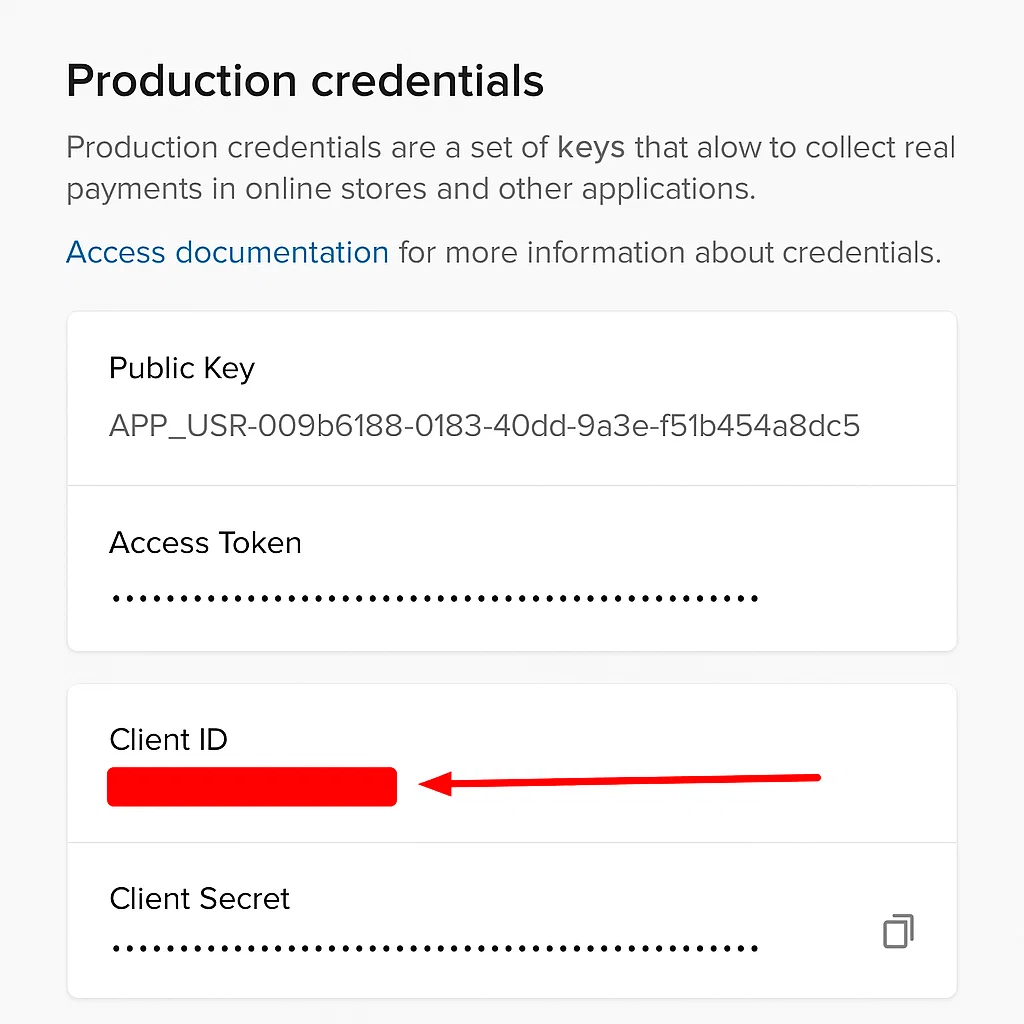
Copy the Client ID and Client Secret credentials.
-
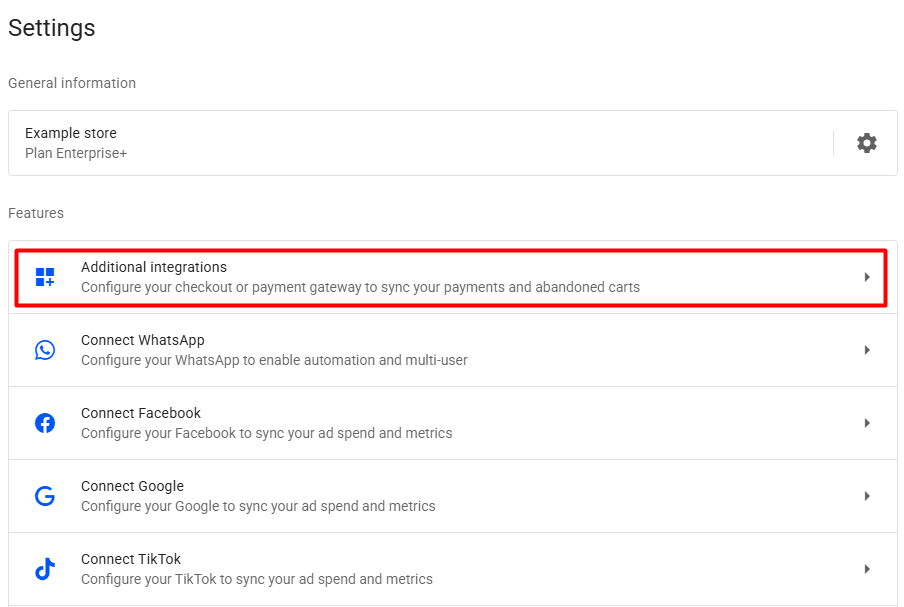
In your Reportana account, navigate to Settings in the side menu → Additional Integrations → Mercado Pago. Or access: Mercado Pago Integration.
-
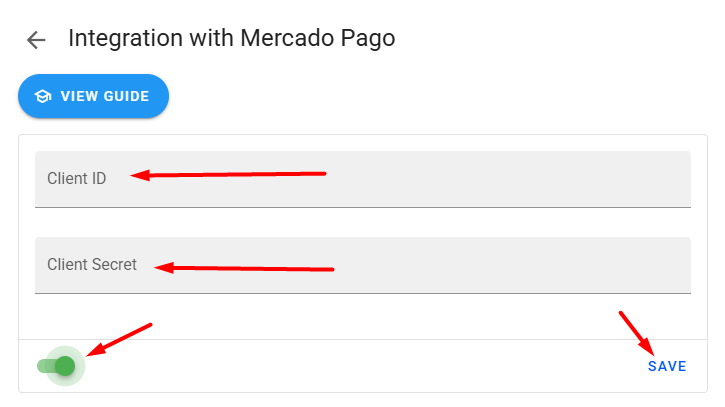
Toggle the activation button, paste the copied Client ID and Client Secret, then click Save.
-
