
Introduction
Users allow new users to be added to a single account, providing each user with their own access and permissions set by the account owner. In this article, we will explain how to set up and manage users.
How it works
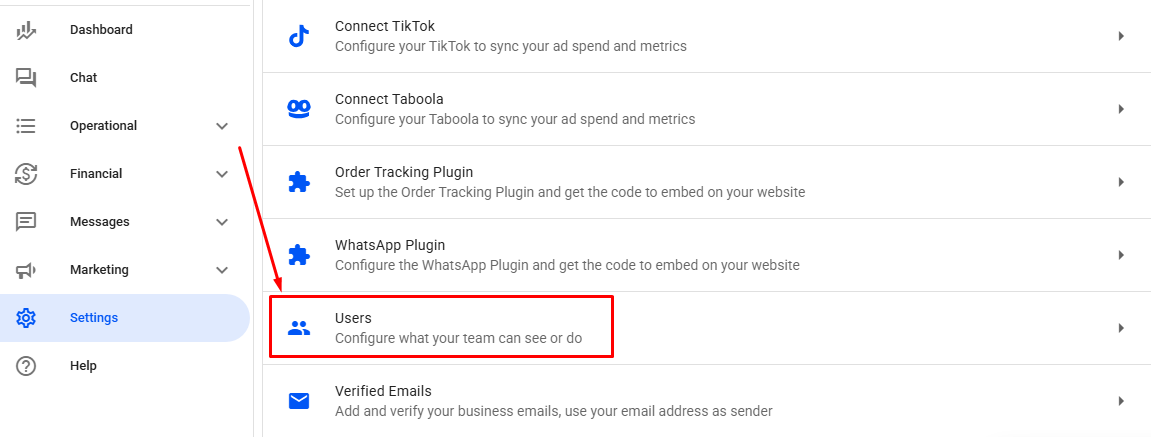
In Reportana account, navigate to Settings in the side menu → Users. Or access: Settings — Users.
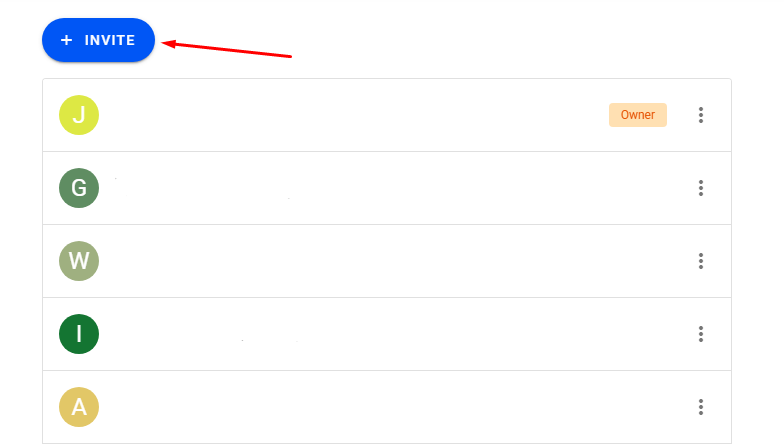
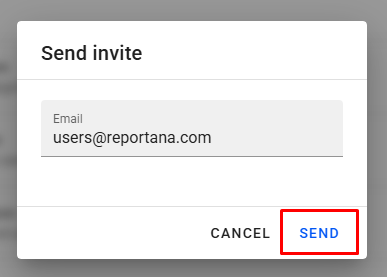
To add a new member to the main access, click on + INVITE ➞ Enter the desired email ➞ Click on Send. An invitation link will be sent to the specified email.
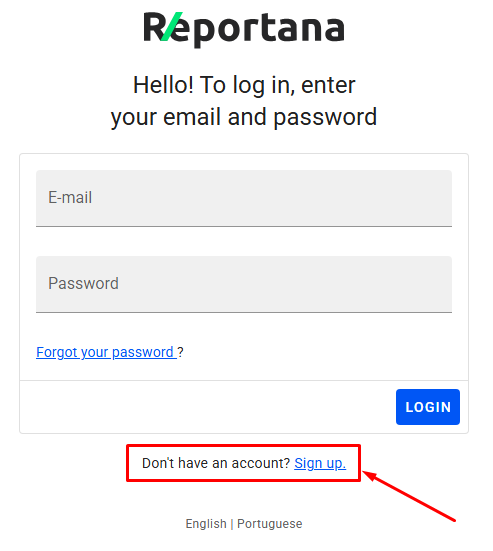
When accessing the received link, the guest will be directed to the Reportana login page. If they do not have an account, they should click on Sign Up to create a new account related to the users. If they already have an account, they just need to log in and will be directed to that account.
After completing the registration or login, a new access to the account will be created with the information provided.
It is also possible to define the permissions that the invited user will have access to.:
To set the desired permissions using the owner access, navigate again to Settings in the side menu ➞ Users.
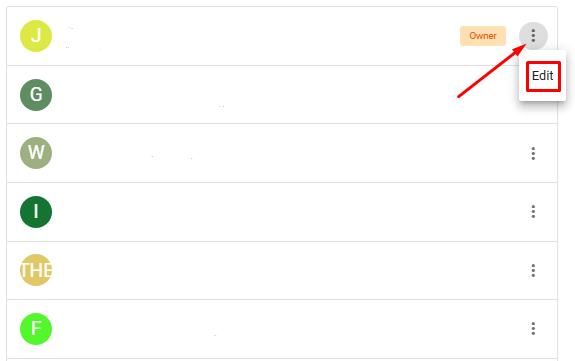
Click on three-dot icon ➞ Edit.
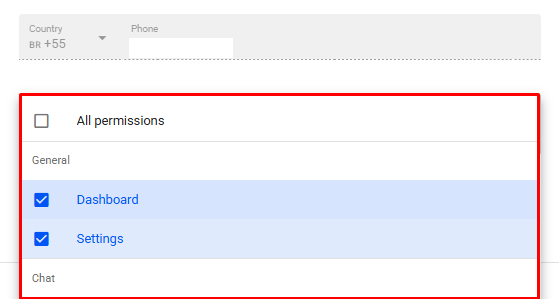
In Permissions, set the permissions you want to grant to the user.
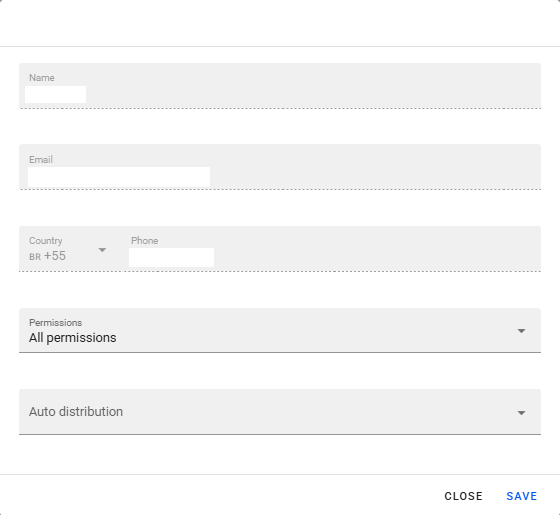
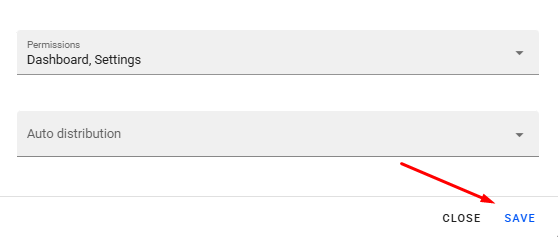
To finish, click on Save and ask the user in question to log in again.
October 01, 2024
How to Set Up Team Accounts
Related articles
How to Change Your Subscription Plan
At Reportana, it is possible to adjust the subscription plan, guaranteeing access to the functionalities best suited to the growth of the business. In this lesson, you'll learn the step-by-step process of changing your account's subscription plan.

How to Connect WhatsApp
By connecting your company's WhatsApp to our platform, you can use our messaging chat to handle customer support, send automations, and run WhatsApp campaigns. Learn how to connect and synchronize in this tutorial.
How to Access API Documentation
Reportana's API (Application Programming Interface) documentation provides developers with the API for integrating other platforms or systems with Reportana. Learn how to access our API documentation in this tutorial.